13 Best Interval Timer Apps for HIIT, Tabata, Boxing & More
We tested and ranked the best Interval Timer Apps to Help you Get in Shape
 By Oliver Dale
·
Updated Oct 29, 2026
·
13 tools reviewed
By Oliver Dale
·
Updated Oct 29, 2026
·
13 tools reviewed
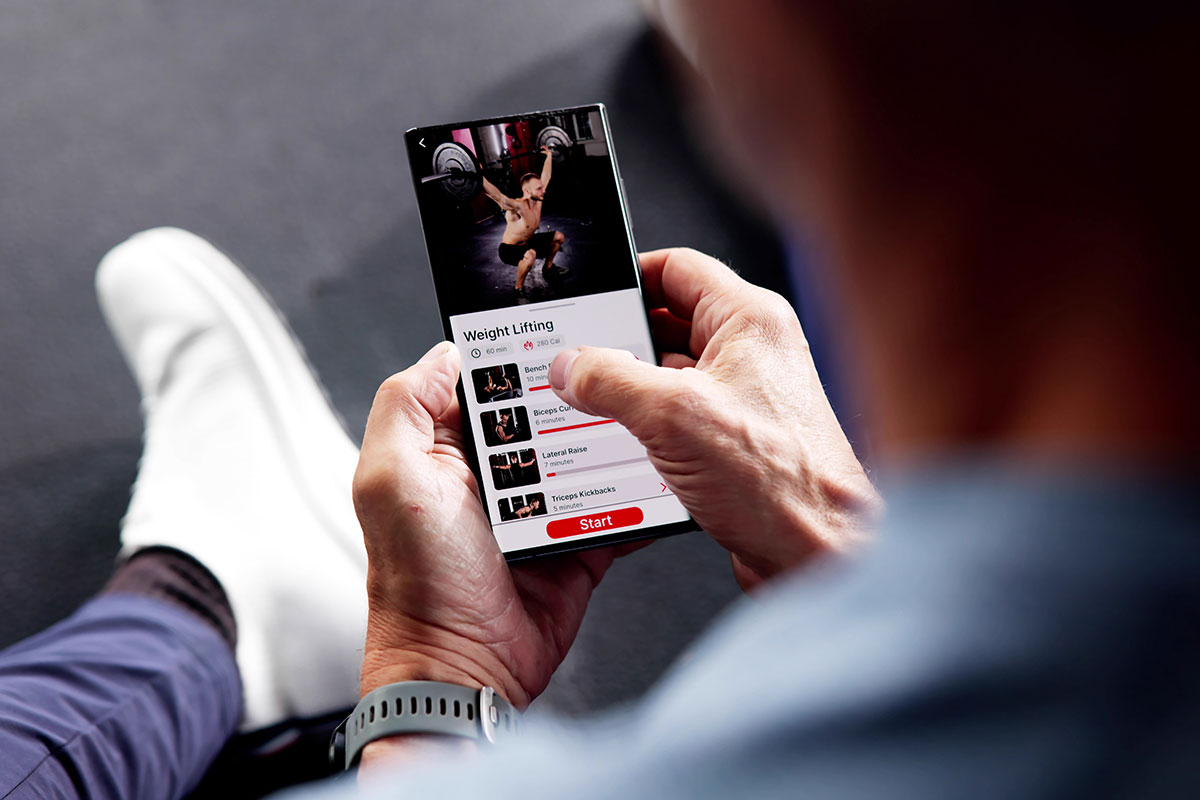
Interval timer apps help athletes and fitness enthusiasts structure workouts with precise work and rest periods. These tools are essential for HIIT, Tabata, boxing rounds, circuit training, and any regimen that requires timed intervals. They eliminate manual counting so you can focus on performance.
The right interval timer depends on your training style and device preference. Some apps offer simple start-stop functionality, while others provide advanced features like voice coaching, custom interval sequences, and Apple Watch integration. Most work in the background and sync with music and health tracking platforms.
When choosing an interval timer, consider customization options, audio and visual cues, cross-device compatibility, and ease of use during intense workouts. The best apps balance power with simplicity, letting you configure complex intervals without disrupting your training flow.
Quick Comparison
See all 13 tools in detail below13 Best Interval Timer Apps for HIIT, Tabata, Boxing & More

KO Interval Timer
Best All RoundWhat It Does
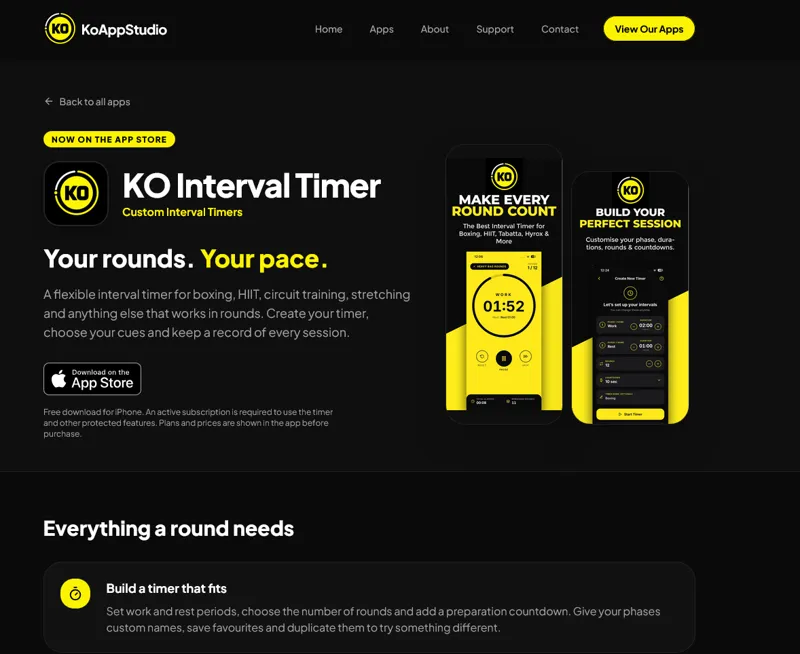
KO Interval Timer is a dedicated iOS app for athletes, fitness enthusiasts, and trainers who need precise, customizable interval timers for boxing, HIIT, circuit training, stretching, and any round-based workout. With voice coaching, sound cues, and a built-in workout journal, it helps you stay focused during sessions and track progress over time.
Who It's For
Designed for boxers, martial artists, personal trainers, and anyone doing interval-based training, KO Interval Timer is ideal for users who want more control than a basic stopwatch offers but don't need complex workout planning software. Whether you're timing sparring rounds, Tabata intervals, or recovery stretches, this app adapts to your routine.
Key Features & Capabilities
- Flexible Timer Builder: Set custom work and rest periods, choose the number of rounds, add preparation countdowns, and assign custom names to each phase. Save favorite timers and duplicate them for variations.
- Audio & Voice Coaching: Select from multiple timer sounds, spoken countdowns, and coaching voices. Customize start, phase-change, and completion cues with optional haptic and visual alerts.
- Workout Journal: Log completed sessions with notes, photos, tags, pre/post-workout feelings, difficulty ratings, and optional bodyweight tracking. Your journal is stored locally on your device—no cloud upload or account signup required.
- Progress Tracking: Review workout history, total rounds completed, elapsed time, training streaks, and activity trends. Revisit past sessions to see what worked best.
- Widgets & Siri Shortcuts: Access saved timers via home-screen widgets and start sessions with Siri voice commands for quick, hands-free setup.
- Personalization: Choose accent colors, preferred sounds, and coaching voice. Enable keep-screen-awake mode to keep your timer visible throughout your workout.
Important to Know
The app requires an active subscription to use the timer and protected features; available plans, prices, and billing periods are displayed before purchase. Subscriptions renew automatically via your Apple account unless cancelled.
Privacy & Data
Your workout history, notes, and photos stay on your device. The app does not upload your journal to external servers and does not require a KO Interval Timer account. Cross-device syncing and cloud backup are not supported.

KNTC Interval Timer
Best for PrecisionWhat It Does
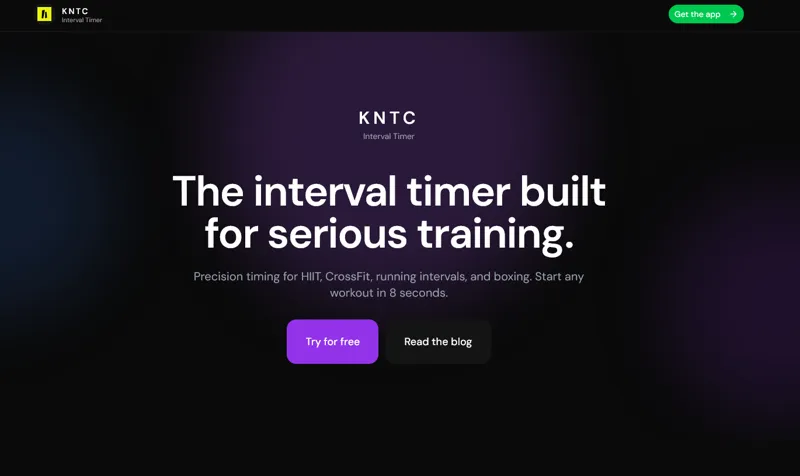
KNTC is a precision interval timer built for serious athletes and fitness enthusiasts. Designed for HIIT, CrossFit, running intervals, boxing, and rowing workouts, KNTC delivers millisecond-accurate timing with multi-sensory cues that keep you locked in during intense training sessions. From tap to training in just 8 seconds, it eliminates decision fatigue with instant-start presets for your most common workouts.
Who It's For & The Problem It Solves
KNTC is built for athletes who take training seriously — CrossFit competitors, distance runners, MMA fighters, home HIIT practitioners, and anyone who needs structured interval training without complexity. Most interval timer apps are cluttered with ads, social feeds, and complex setups that create mental friction. KNTC strips away the noise and delivers pure performance: precision timing, loud audio cues, strong haptics, and a distraction-free interface that works whether you're in a box, on a track, or in your living room.
Key Features & Capabilities
- Four Training Modes: Intervals (work/rest with sets and rounds), Countdown (capped WODs and time-based challenges), EMOM (every minute on the minute alerts), and Stopwatch (benchmark time trials)
- Multi-Sensory Cues: Loud audio beeps that cut through gym noise, strong haptic feedback that works even when your phone is in your pocket, and clear visual countdown displays
- Landscape Timer Mode: Full-screen display with massive digits visible from across the gym — perfect for group workouts, partner WODs, and class sessions
- Customizable Settings: Haptic patterns, coach voices in multiple languages, high contrast mode, CrossFit-specific settings, and screen-awake controls
- Preset Library: Create your go-to workouts once (Tabata 20/10, EMOM strength blocks, 400m repeats) and start them instantly with zero setup friction
- Progress Tracking: Simple, focused stats showing monthly activity, total training minutes, consistency trends, and workout streaks — no vanity metrics
- Background Audio Support: Run music or podcasts while still hearing essential timer beeps
Typical Workflows & Use Cases
Runners use KNTC for 400m track repeats and tempo runs with precise interval timing. CrossFit athletes rely on it for AMRAPs, EMOMs, benchmark WODs (Fran, Helen, Grace), and 21-15-9 schemes. Boxers and MMA fighters use the round timer for 3-minute rounds with 1-minute rest. Home trainers execute Tabata protocols and HIIT sessions with simple preset-based workflows. Group training sessions leverage landscape mode to display timing for entire classes.
What Differentiates It
Every feature in KNTC is grounded in exercise science and behavioral psychology. The multi-sensory approach (audio + haptic + visual) is proven to improve adherence under fatigue. The preset system reduces decision fatigue that kills workout consistency. The distraction-free UI minimizes cognitive load during training. Unlike cluttered fitness apps with social feeds and ads, KNTC is purpose-built for one thing: delivering precision interval timing that helps you train harder, track progress, and show up consistently.
Seconds Interval Timer
Best OverallWhat It Does
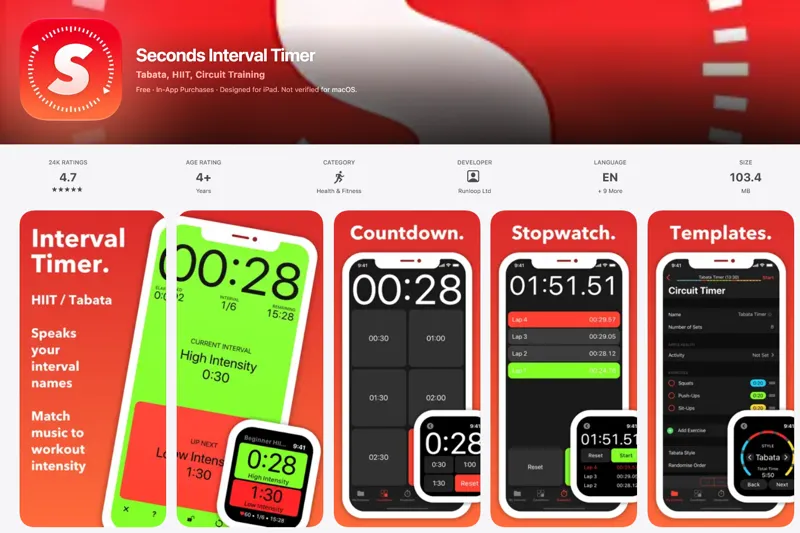
Seconds is a powerful interval timer app designed for HIIT, Tabata, EMOM, circuit training, and any workout built from timed intervals. Featured by Apple and used by fitness influencer Joe Wicks (The Body Coach), Seconds allows you to create custom workout timers that run on iPhone, iPad, and Apple Watch. The app calls out each interval by name, keeps running with the screen off, and integrates seamlessly with your own music and Apple Health.
Who It's For
Seconds is perfect for fitness enthusiasts, personal trainers, athletes, and anyone following structured interval-based workouts. Whether you're doing strength training, cardio, stretching, or even using the Pomodoro technique for studying, Seconds adapts to your needs with flexible timer configurations that range from simple to complex.
Key Features & Capabilities
- Flexible Timer Builder: Start from HIIT, Tabata, or circuit templates, or build custom timers from scratch with sets, rounds, and intervals of varying lengths
- Chain Timers: Link multiple timers together so warm-ups flow into main sets and cool-downs automatically
- Voice Cues & Audio: Intervals are called out by name with warnings before transitions; play your own music per timer or per interval with automatic audio ducking
- Apple Watch Support: Run timers independently on Apple Watch with sync from iPhone, plus Quick Intervals for building basic circuits on the watch itself
- Full-Screen Display: Color-coded intervals visible across the room in portrait or landscape mode; iPad utilizes the entire screen
- Background Operation: Timers continue running with the screen off or while using other apps
- Apple Health Integration: Save workouts and mindful sessions; estimate calories burned with heart rate monitor data
- Additional Tools: Built-in stopwatch with lap tracking and countdown timer with preset durations
Typical Workflows
Create a custom HIIT workout with exercise names, color-code each interval (choose from 10 colors), set up voice announcements with text-to-speech, and add your favorite playlist. During your workout, the app displays a clear full-screen timer, announces each move, and automatically manages your music volume. The lock button prevents accidental pauses, and everything syncs to your Apple Watch so your phone can stay in your locker.
What Differentiates It
Seconds stands out with its one-time purchase model (no subscription required), extensive customization options, and robust Apple Watch integration. The app is free to try with unlimited timer building—each timer locks after one use until you make a single in-app purchase to unlock everything forever. Users consistently praise the affordable one-time fee and the app's versatility for both simple and complex workout structures.
Tabata Timer: Interval Timer
Best for BeginnersYour Personal Workout Partner for HIIT and Tabata Training
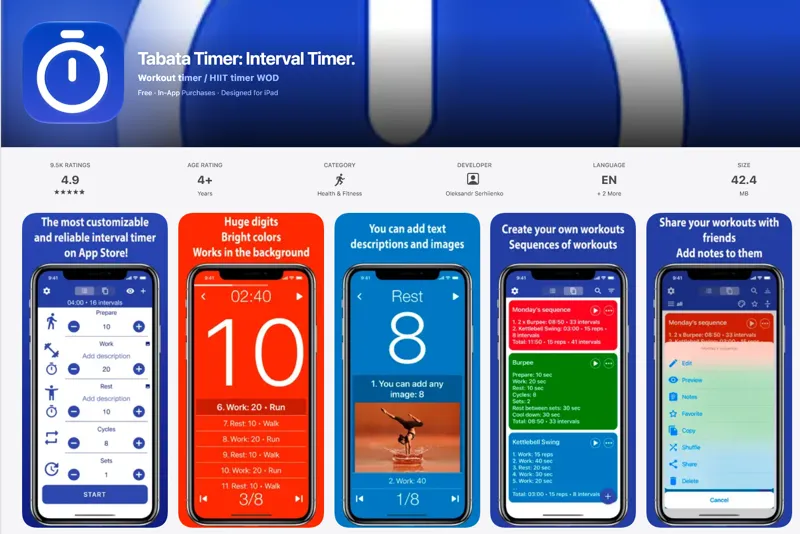
Tabata Timer is a powerful yet intuitive interval training app designed for athletes, fitness enthusiasts, and trainers pursuing cardio, CrossFit, HIIT, and any high-intensity workout regimen. Whether you're a beginner starting with one tap or an advanced user needing granular control, this app delivers the flexibility and precision to match your training goals.
Who It's For
Perfect for home workouts, gym sessions, or outdoor training, Tabata Timer serves everyone from physical therapy patients recovering from injuries to professional trainers managing client circuits. Users love its accessibility features, including voice assistance that makes it invaluable for visually impaired athletes and those who need hands-free guidance during intense sessions.
Key Features and Capabilities
• Fully Customizable Workouts: Adjust work and rest intervals, sets, cycles, and add custom interval names • Visual and Audio Cues: Add images (including GIFs) to intervals, use voice prompts, record personal motivational messages • Multi-Platform Support: Seamlessly runs on iPhone, iPad, and Apple Watch with background operation • Smart Audio Management: Music ducking automatically lowers your playlist when the timer provides cues • Training Features: Countdown alerts, vibration support, workout sequences, and the ability to save unlimited custom programs (premium) • Trainer-Friendly: Add text descriptions and images to help clients remember exercises without constant verbal instruction
Typical Workflows
Users set up custom intervals (e.g., 30 reps of 50 seconds work with 10 seconds rest), save their favorite routines, and let the app guide them through sessions with clear countdowns and transitions. Trainers create circuit workouts with visual references, while rehabilitation patients follow prescribed timing protocols. The Apple Watch integration means you can leave your phone behind and still get full timer functionality during outdoor runs or gym sessions.
What Sets It Apart
Unlike basic stopwatches, Tabata Timer combines workout customization with motivational tools and accessibility features in an easy-to-navigate interface. The free version offers core functionality with two saved workouts, while the premium unlock provides unlimited workout storage and advanced features at an accessible price point. Users consistently praise its intuitive setup compared to competing apps and its reliability during critical training moments.
Interval Timer ⚡ HIIT Timer
Best InterfaceWhat It Does
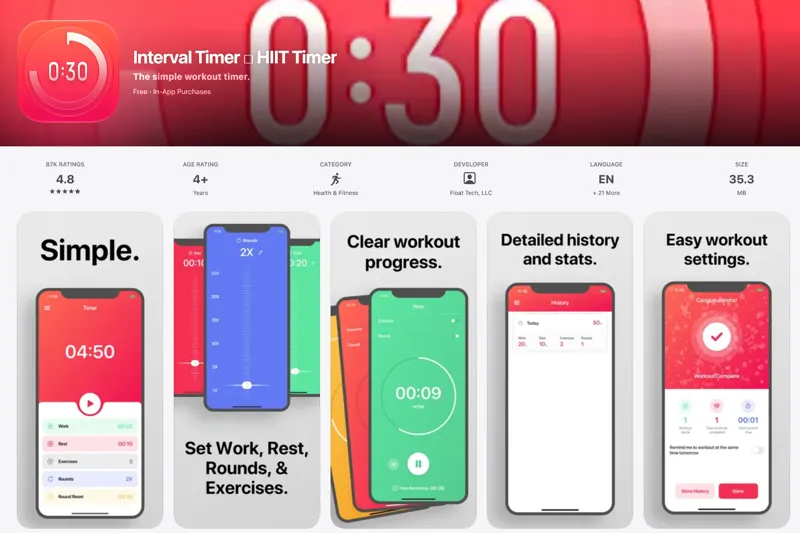
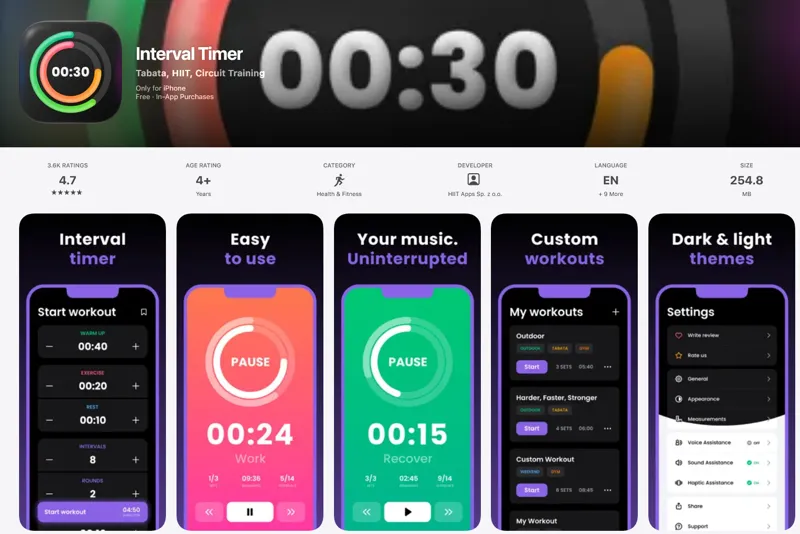
Interval Timer is a streamlined interval training app designed for high-intensity interval training (HIIT), circuit workouts, Tabata, strength training, and any fitness routine that requires timed work and rest periods. The app provides an intuitive drag-to-set interface that lets you quickly customize workout intervals, rest periods, and rounds without complicated menus or settings.
Who It's For
This app is perfect for athletes, fitness enthusiasts, personal trainers, and anyone following structured workout programs. Whether you're doing 10-second on/off intervals for injury recovery, standard HIIT sessions, or complex circuit training routines, Interval Timer adapts to your needs. It's particularly valuable for users who get lost in reps and rounds or need audio cues to stay focused during intense workouts.
Key Features & Capabilities
- Simple Setup: Drag-to-set custom intervals for workout time, rest periods, and number of rounds
- Audio Guidance: Choose between voice or beep notifications for every interval, including halfway markers even for short intervals
- Background Operation: Continues working when you leave the app, so you can follow online workouts or use other apps while listening to audio cues
- Music Integration: Doesn't interfere with your music apps—keep your workout playlist running
- Exercise Naming: Name individual exercises to keep track of what comes next in your routine
- Automatic Tracking: Detailed history and statistics pages record every workout automatically
- Workout Repetition: Easily repeat previous workouts from your history without resetting timers
- Flexible Warmup Options: Configurable warmup periods to prepare for your workout
Typical Workflows
Users typically create a custom workout by setting their work interval (e.g., 30 seconds), rest period (e.g., 15 seconds), and number of rounds. They can name specific exercises for complex circuits, tap to start, and let the app guide them through the entire session with audio cues. The app runs in the background, allowing users to watch tutorial videos or check form guides while still hearing timing notifications. After completion, workouts are automatically logged to track progress over time.
What Differentiates It
Interval Timer stands out for its exceptional simplicity and elegant design, earning a 4.8-star rating from over 87,000 users. Unlike cluttered fitness apps, it focuses exclusively on what matters: accurate timing and unobtrusive guidance. The halfway notification feature—even for intervals as short as 10 seconds—is particularly praised by users. The app's ability to run in the background while maintaining audio cues makes it uniquely versatile for following online workouts or multitasking during training sessions.
Interval Timer ++
Best for Apple WatchWhat It Does
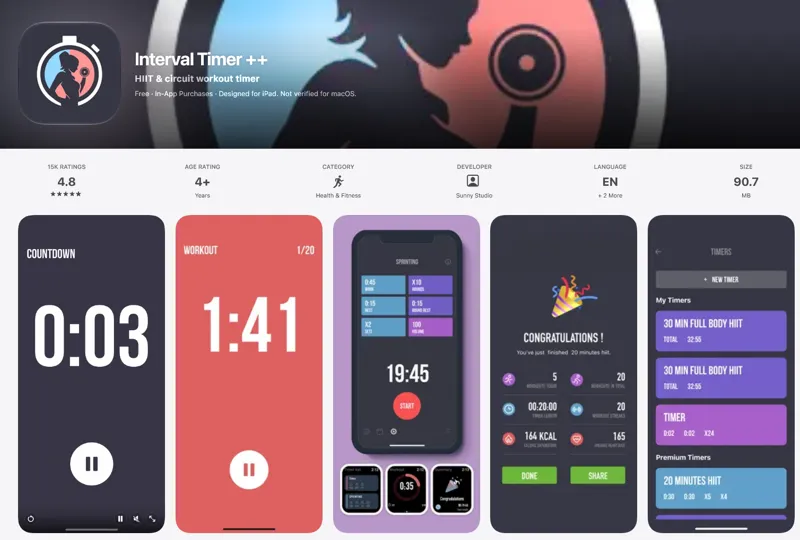
Interval Timer ++ is an award-winning mobile application designed for high-intensity interval training (HIIT) and circuit workouts. Available on iPhone and Apple Watch, it provides a simple yet powerful way to structure workout sessions with customizable work/rest intervals, making it ideal for fitness enthusiasts who need precise timing during their training routines.
Key Features & Capabilities
- One-Touch Setup: Quickly configure workout duration (2 seconds to 8 minutes), rest periods (0 to 8 minutes), and repetitions (up to 20 times free, 50+ with premium)
- Multiple Timer Management: Create, name, and organize unlimited custom timers for different workout types with swipe-to-delete and drag-and-drop reordering
- Premium Workout Templates: Pre-built timers mixing various exercise types including Planks, Jumping Jacks, Push Ups, Sit Ups, High Knees, Side Planks, Butt Kicks, Side Lunges, and Lunges
- Apple Watch Support: Full native support for working out directly from your wrist
- Background Notifications: Continue workouts while browsing other apps or with the screen locked
- Audio & Haptic Feedback: Customizable countdown sounds, vibration alerts between intervals, and music playback compatibility with automatic volume adjustment
- Health App Integration: Syncs with HealthKit to track and visualize workout sessions and step data
- Calendar View: Review your complete workout history with detailed session information
- Flexible Controls: Pause, resume, or reset workouts at any time; 10-second countdown before each interval
Who It's For
This app serves home fitness enthusiasts, gym-goers, personal trainers, and anyone following HIIT, Tabata, or circuit training protocols. Its clean, colorful interface and straightforward controls make it accessible for beginners while offering the depth and customization that advanced users demand.
Pricing & Premium Features
The app is free to download with in-app purchases available. Interval Timer Pro (available via monthly subscription, annual subscription, or one-time purchase) unlocks unlimited custom timers, premium workout templates, and extended repetition counts beyond 20. The app has earned a 4.8-star rating from over 15,000 users who consistently praise its simplicity, reliability, and eye-catching design.
Interval Timer
Best for ProfessionalsInterval Timer is a specialized iOS application designed for interval training enthusiasts, fitness professionals, and anyone looking to structure their workout routines with precision timing. Whether you're doing HIIT (High-Intensity Interval Training), Tabata protocols, circuit training, or physical therapy exercises, this app delivers a powerful yet intuitive timing solution that keeps you focused and on track.
Who It's For
This app serves athletes, personal trainers, physical therapists, and home fitness enthusiasts who need precise interval timing for structured workouts. From classic Tabata sessions (20 seconds work, 10 seconds rest, 8 rounds) to complex custom routines with varying interval lengths, Interval Timer adapts to any training methodology.
Key Features & Capabilities
• Intuitive Interface: One-tap start for classic Tabata workouts with default settings • Fully Customizable Intervals: Configure prepare time, work periods, rest periods, rest between sets, cool down, number of cycles and sets • Individual Interval Configuration: Create any workout sequence with any combination of intervals • Voice Assistant: Text-to-speech functionality with customizable descriptions that display on screen and are voiced during workouts • Multiple Display Modes: Tabata Protocol, Rounds, Stopwatch, and Intervals views • Workout Library: Save and access your custom workout routines • Quick Workout Setup: Fast configuration for on-the-go training sessions • Music Integration: Automatic volume ducking to lower music volume during timer sounds • Activity Tracking: Apple Health integration to track workout activity and performance history • Performance Analytics: Track activities over the last week, month, 6 months, or year • Customizable Audio: Choose from various sound/chime options
Typical Workflows
Users create custom timers by setting specific work and rest intervals, adding descriptive labels to each phase, and saving complete workout routines for repeated use. The voice assistant guides you through each interval, making it perfect for exercises where you can't watch the screen. Physical therapy patients use it to maintain precise timing for therapeutic exercises and easily share performance data with their healthcare providers.
What Sets It Apart
Interval Timer distinguishes itself with its balance of simplicity and power—quick enough for immediate Tabata sessions yet flexible enough for complex, multi-phase workout routines. The combination of visual and audio cues, Apple Health integration, and workout history tracking creates a comprehensive training companion that keeps you accountable and motivated. Regular updates from the development team ensure the app continues to evolve with user needs.
Simple Interval Timer
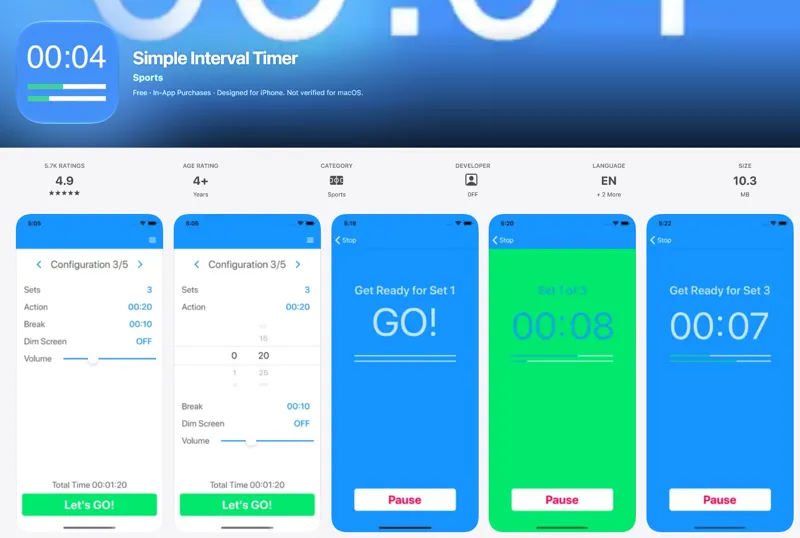
Best Minimalist OptionSimple Interval Timer (SIT) is a straightforward interval training app designed for athletes, fitness enthusiasts, and anyone who needs structured timing for their activities. Whether you're running, cycling, doing HIIT sessions (including Tabata method), stretching, or even managing focus sessions for work or study, SIT provides a clean, distraction-free timer experience.
Key Features
• Easy Configuration: Adjust the number of sets, action duration, and break duration to match your exact workout or focus needs • Background Operation: Runs seamlessly in the background while you play music, watch videos, or use other apps on your iOS device • Multiple Saved Configurations: Remembers your last 5 timer setups, allowing quick switching between different routines via swipe gestures • Apple Watch Integration: Full-featured watchOS companion app that runs independently of your iPhone and tracks heart rate during workouts, syncing data to Apple's Health app • Home Screen Widgets: Add your favorite timer configurations to your home screen for one-tap timer starts • Screen Lock Prevention: Optional setting to keep your screen active during workouts • Haptic & Audio Feedback: Clear haptic and audio cues to signal the start of sets and breaks, even when the app is in the background
Who It's For
SIT has proven invaluable for runners and cyclists managing interval training, HIIT practitioners following structured workout protocols, and people with ADHD who use interval timing to maintain focus during daily tasks or study sessions. Users have even found creative applications like timing Kegel exercises and pacing while reading dense textbooks.
What Makes It Different
Unlike complex fitness apps with cluttered interfaces, SIT focuses on doing one thing exceptionally well: interval timing. Its minimalist design eliminates unnecessary controls while maintaining powerful functionality. The app reliably works in the background across all iOS activities, and the Apple Watch app operates independently—perfect for phone-free workouts. With support for landscape mode, adjustable volume, dark mode, and localization in multiple languages, SIT balances simplicity with thoughtful feature implementation.
Tabata Pro HIIT Interval Timer
Best Voice CoachingThe Ultimate HIIT & Tabata Training Timer for iOS
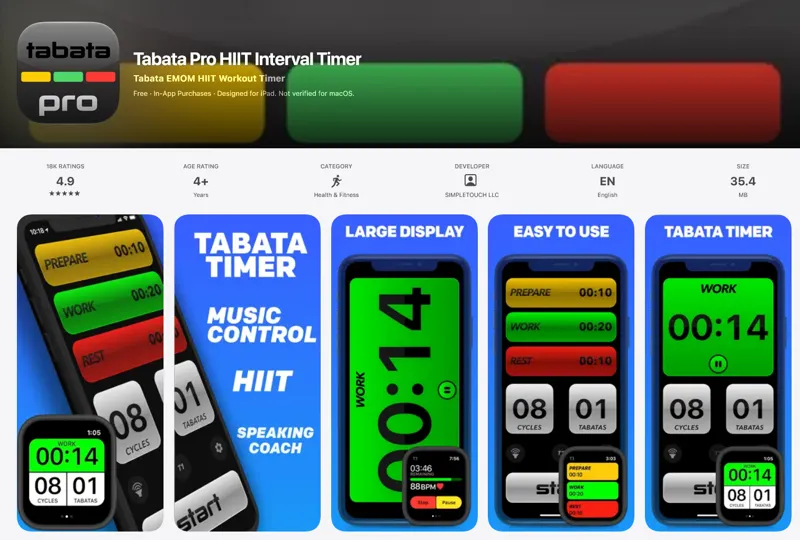
Tabata Pro is a premium fitness timer designed specifically for high-intensity interval training (HIIT), Tabata protocols, and circuit training. Trusted by fitness trainers, physical education departments, bodybuilders, and athletes worldwide, this powerful workout timer helps you maximize your performance and achieve fitness goals faster through precise interval timing and intelligent coaching features.
Interactive Coaching & Smart Audio Alerts
Tabata Pro features a built-in speaking coach that guides you through every stage of your workout—from preparation and work intervals to rest periods, cool down, and recovery. The app comes equipped with high-quality alert sounds carefully selected to cut through workout music, ensuring you stay perfectly synchronized with your timer. Whether you're using kettlebells, running, cycling, or doing CrossFit, the audio cues keep you on track without having to watch the screen.
Workout DJ: Complete Music Control
One of Tabata Pro's standout features is its Workout DJ integration, which provides complete music control during your training sessions. The app can automatically start and change your music throughout your workout, allowing you to set different tracks for each interval phase. This creates an immersive training experience where your music matches the intensity of each work and rest period.
Key Features & Capabilities
- Fully customizable timing, cycles, and Tabata intervals for personalized workout programming
- Multiple quick-change timer presets to switch between different training protocols instantly
- Apple Health integration to track workouts, calories burned, and heart rate data
- Apple Watch app for convenient wrist-based access and heart rate monitoring
- Multitasking and split-screen support across iPhone and iPad
- Custom external display support for group training sessions or gym environments
- Four display modes: In-pocket audio coach, main display for equipment use, external display for groups, and wrist-based Apple Watch interface
- Mute option for silent workouts when needed
Versatile Training Applications
Tabata Pro works seamlessly as a Tabata timer following traditional protocols, or as a versatile HIIT interval timer for CrossFit, circuit training, walk/run intervals, and general gym workouts. The app supports weight training, bodyweight exercises, cardio sessions, and any form of interval-based training methodology.
Cross-Device Compatibility
Designed for iPad with full iPhone and Apple Watch support, Tabata Pro works seamlessly across your Apple ecosystem, giving you flexibility in how and where you train. The app's intuitive interface makes it easy to configure complex interval protocols while maintaining focus during intense workout sessions.
Gymboss Interval Timer
Best for CustomizationWhat It Does
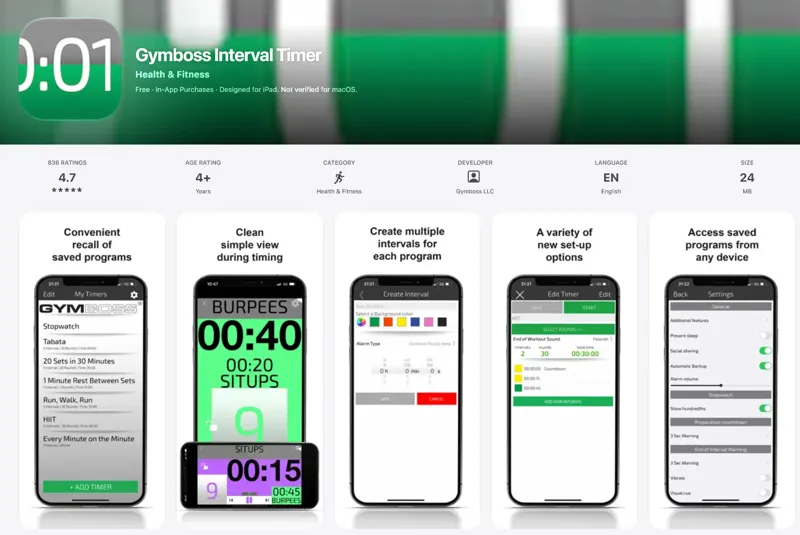
Gymboss Interval Timer is a comprehensive programmable interval timer app designed for athletes, fitness enthusiasts, and anyone who needs precise timing during workouts. Whether you're timing a single interval or creating complex multi-interval programs, Gymboss provides the flexibility and features to support virtually any training regimen that requires structured work and rest periods.
Perfect For Diverse Training Methods
This app serves runners, CrossFit athletes, martial artists, boxers, weight lifters, and home workout enthusiasts. It's equally effective for HIIT (High-Intensity Interval Training), Tabata protocols, traditional martial arts practices like Chi Gong or Nei Gong, MMA training, and stretching routines. The app's versatility makes it suitable for both beginners following simple programs and advanced athletes managing complex training sequences.
Key Features and Capabilities
- Unlimited Intervals: Create programs with as many intervals as needed, supporting up to 99 rounds/repeats
- Cloud Storage: Save programs to iCloud Drive for seamless access across devices
- Music Integration: Access music directly from the app with automatic dimming during alarms
- Customizable Alarms: Choose from multiple alarm sounds with visual, audible, and vibrate options; set different alarms for each interval
- Activity Labels: Name each interval to display specific exercise or activity descriptions
- Built-in Stopwatch: Additional timing functionality beyond interval programming
- Program Management: Save unlimited programs, copy entire programs, and share via social media
- Display Options: Large, easy-to-read display with landscape mode, customizable moving background colors, and adjustable rounds box sizing
- Practical Features: Screen lock, prevent sleep mode, and the ability to keep the app running in the background
What Sets It Apart
Gymboss Interval Timer evolved from years of user feedback, incorporating the most requested features from the fitness community. The app's combination of unlimited intervals, iCloud synchronization, and granular customization options—including per-interval alarm settings and activity labeling—provides a level of control rarely found in basic timer apps. Its proven track record with traditional martial artists and professional athletes demonstrates its reliability for serious training applications.
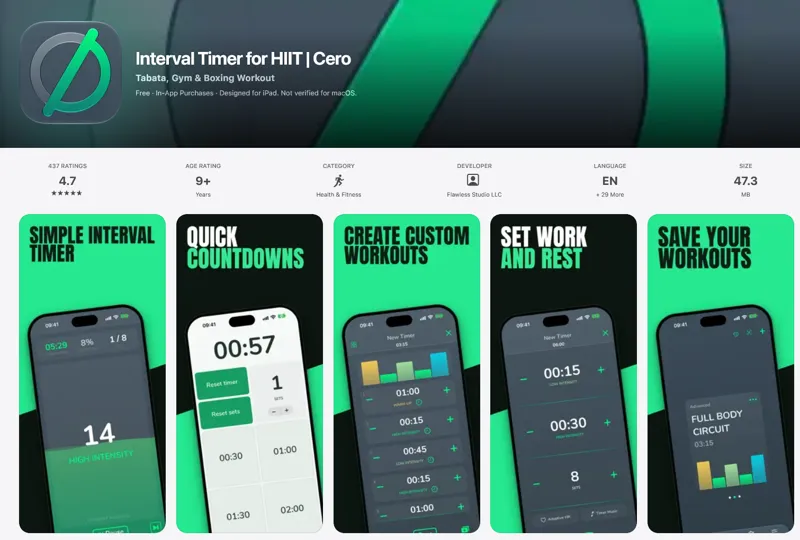
Cero - Interval Timer for HIIT
Best for HYROXWhat It Does
Cero is a powerful interval timer designed specifically for high-intensity interval training (HIIT), Tabata, circuit training, boxing rounds, and hybrid race preparation like HYROX. The app provides a flexible framework for building custom workout sessions with advanced interval programming, heart rate monitoring, and seamless integration across iPhone and Apple Watch.
Who It's For
Cero is built for athletes, fitness enthusiasts, and trainers who need precise interval timing for structured workouts. Whether you're doing HIIT runs, strength and conditioning circuits, indoor cycling intervals, or boxing rounds, Cero keeps you focused on performance rather than managing the clock.
Key Features & Capabilities
- Flexible Session Builder: Create quick work/rest timers or program detailed workouts with custom intervals, colors, icons, and intensity levels. Configure work periods, recovery times, sets, warm-ups, and cool-downs to match your training style.
- Adaptive Heart Rate Training: Extend recovery intervals until you reach your target heart rate, then guide hard efforts with low and high HR alerts. Pair Bluetooth heart-rate monitors with iPhone or use Apple Watch heart-rate data.
- Apple Ecosystem Integration: Run workouts from your wrist with the redesigned Apple Watch app, follow sessions with Live Activities and Dynamic Island, start timers from Home Screen widgets, and control workouts with Siri and Shortcuts.
- Gym Display Mode: Project your workout on a larger screen or mirrored TV for group training or better visibility.
- Workout History & Recaps: Review completed sessions with detailed recaps showing time, intervals, estimated calories, and heart rate data. Share your recap as an image or export history as PDF/CSV.
- Music Integration: Choose a default song or assign specific music to individual intervals to maintain motivation throughout your session.
- Countdown & Stopwatch Tools: Built-in countdown timer and lap stopwatch for warm-ups, station changes, rest periods, and race-day practice.
What Makes It Different
Cero stands out with its adaptive heart rate feature that intelligently adjusts recovery periods based on your actual physiological state, ensuring optimal training intensity. The app's deep integration with Apple's ecosystem—including Live Activities, widgets, Shortcuts, and comprehensive Apple Watch functionality—provides unmatched convenience. Automatic iCloud backups protect your custom timers, and the ability to share workouts via file or QR code makes it easy to distribute training plans to clients or training partners.
With customizable sounds, voice cues, vibrations, and background alerts, Cero adapts to your training environment whether you're in the gym, outdoors, or training at home.
Next Up - Interval Timer
Best FlexibilityTransform Your Workouts with Ultimate Flexibility
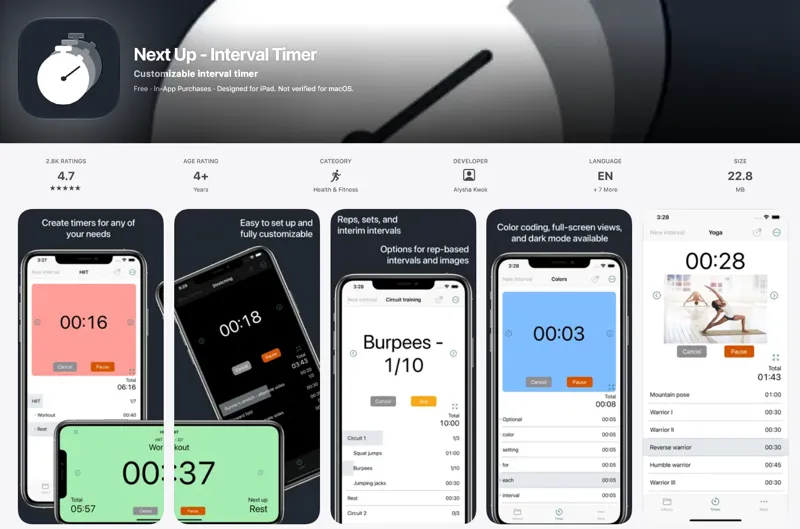
Next Up is a highly customizable interval timer designed for athletes, fitness enthusiasts, and anyone who needs precise timing control for their training routines. Whether you're doing HIIT, circuit training, tabata, or any interval-based workout, this app gives you complete control over every aspect of your timer.
Key Features & Capabilities
• Unlimited Intervals & Sets: Create timers with as many intervals as you need, group them into sets, and specify the number of repetitions for maximum workout flexibility • Visual Customization: Assign background colors and images to intervals for instant visual cues, with both light and dark mode support that adapts to your device preferences • Flexible Interval Types: Choose between time-based or rep-based intervals to match any training style • Dual Display Modes: Switch between a detailed auto-scrolling view and full-screen mode for larger, easily visible displays in both portrait and landscape orientations • Smart Progress Tracking: Highlighted current intervals and percentage-completed indicators keep you informed at a glance • Interim Intervals: Quickly set up rest periods that automatically run between exercises • Audio Customization: Enable countdown beeps, set custom sounds for different intervals, or use text-to-speech announcements (premium) • Background Notifications: Run timers in the background and receive alerts for interval changes and completion • Intuitive Controls: Skip or backtrack through intervals with arrow buttons, use swipe actions for easy deletion and duplication, and start from any interval
Organization & Sharing
Create folders to organize your timers by workout type or goal. With the subscription tier, sync timers across all your devices and share workouts with training partners or clients via email with direct download links.
Who It's For
Perfect for personal trainers creating client workouts, athletes following structured training programs, group fitness instructors, and anyone who wants more control than a simple timer can provide. The minimal design makes it easy to use while packing in powerful features that serious trainers demand.
Pricing & Tiers
The free version includes up to 3 timers with core functionality. A one-time upgrade unlocks unlimited timers, advanced sound options, rep-based intervals, and editing for all timers. An optional subscription adds cross-device syncing and sharing capabilities.
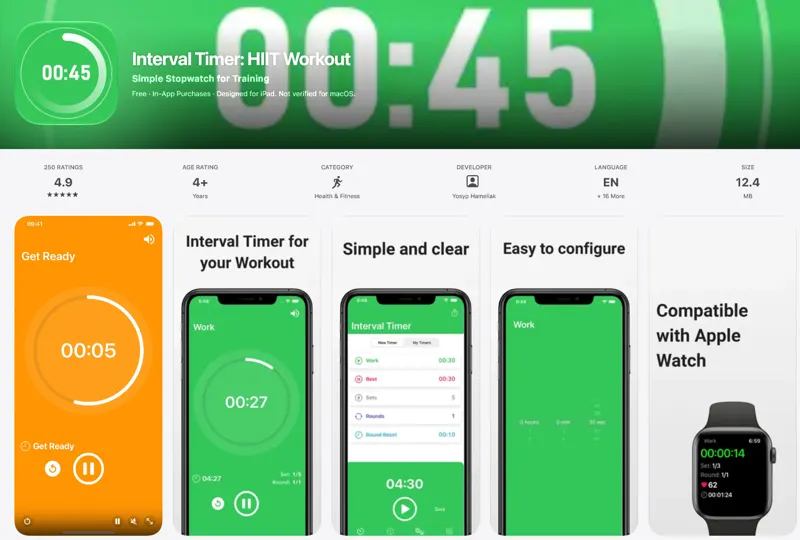
Interval Timer: HIIT Workout
Best Cross-PlatformWhat It Does
Interval Timer: HIIT Workout is a dedicated mobile application designed to help fitness enthusiasts track work and rest periods during high-intensity interval training (HIIT) sessions. Available on iPhone, iPad, and Apple Watch, this straightforward timer app eliminates the need to count intervals manually, allowing users to focus entirely on their workout performance.
Who It's For
This app is perfect for anyone engaged in HIIT training, CrossFit, Tabata, circuit training, or any workout regimen that requires precise timing of work and rest intervals. Whether you're a beginner following a structured program or an experienced athlete customizing your training sessions, the app's simple interface makes it accessible to all fitness levels.
Key Features & Capabilities
- Customizable Intervals: Set work periods, rest periods, sets, and rounds to match your specific workout requirements
- Apple Watch Integration: Monitor heart rate during workouts directly from your wrist with full Health app integration
- iCloud Sync: Seamlessly synchronize workout timers between your iPhone and Apple Watch
- Background Audio Support: Listen to music or podcasts while the timer runs in the background
- Audio Cues: Clear voice alerts signal interval changes with adjustable volume settings
- Easy-to-Read Display: Large, clear interface makes it simple to glance at remaining time during intense exercise
- Saved Timers: Store frequently used workout configurations for quick access
Typical Use Cases
Users can quickly program their preferred work-rest ratios, start their workout, and receive audio notifications when it's time to switch between intervals. The Apple Watch companion app enables hands-free operation and real-time heart rate tracking, making it ideal for gym sessions, home workouts, or outdoor training where checking your phone isn't practical.
What Sets It Apart
The app's strength lies in its simplicity and Apple ecosystem integration. Unlike complex fitness apps with numerous features, Interval Timer focuses exclusively on doing one thing well: keeping accurate interval time. The seamless Health app integration and iCloud synchronization make it a natural choice for users invested in the Apple fitness ecosystem.
How We Chose These Tools
We tested 13+ tools and scored them based on:
Frequently Asked Questions
🏆 Final Thoughts
The right interval timer depends on your training style, device ecosystem, and feature preferences. Apps with simple interfaces work well for beginners and straightforward workouts, while customizable options serve athletes building complex interval sequences. Consider whether you need voice coaching, Apple Watch integration, or advanced programming before choosing.
Most quality options offer free versions with basic functionality and premium upgrades for advanced features. Test a few apps with your typical workouts to find the interface and feature set that supports your training without adding friction. The best timer is the one you will actually use consistently during every workout session.