10 Best AI Golf Swing Analyzer Apps
We tested and ranked the best AI Golf Swing Analyzer apps to help you get better on the course.
 By Oliver Dale
·
Updated Oct 01, 2026
·
10 tools reviewed
By Oliver Dale
·
Updated Oct 01, 2026
·
10 tools reviewed
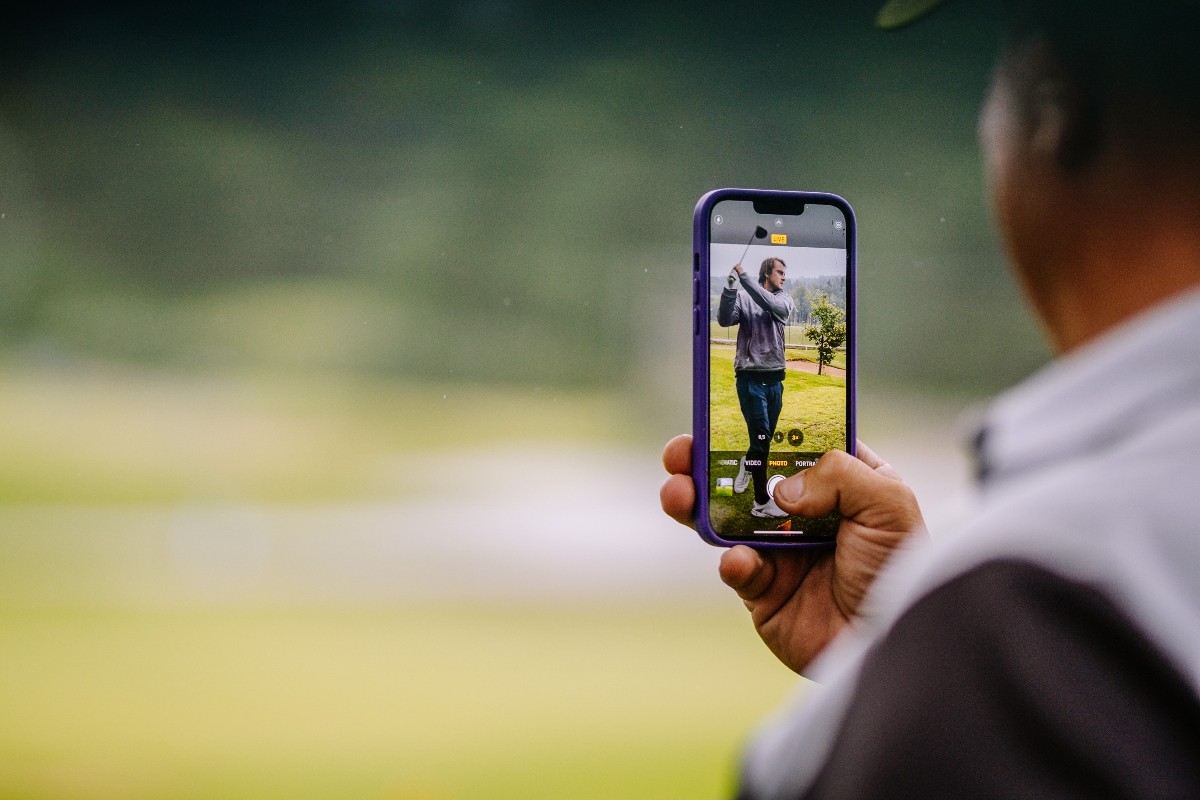
AI golf swing analyzer apps use computer vision and machine learning to break down your swing mechanics from smartphone videos. These tools measure angles, positions, and biomechanics without expensive sensors or motion capture systems. They deliver instant feedback that helps golfers identify flaws and track improvement over time.
Golfers at every skill level use these apps to supplement or replace traditional coaching. Beginners learn proper fundamentals while advanced players fine-tune specific positions. The best apps explain what you're doing wrong and provide clear practice priorities instead of overwhelming you with data.
When choosing a swing analyzer, consider the analysis depth, ease of capturing quality video, and how actionable the feedback is. Some apps focus on automated capture and side-by-side comparison while others prioritize biomechanical measurements or personalized training plans. Match the tool to your practice environment and learning style.
Quick Comparison
See all 10 tools in detail below10 Best AI Golf Swing Analyzer Apps

Sportsbox AI
Best OverallWhat It Does
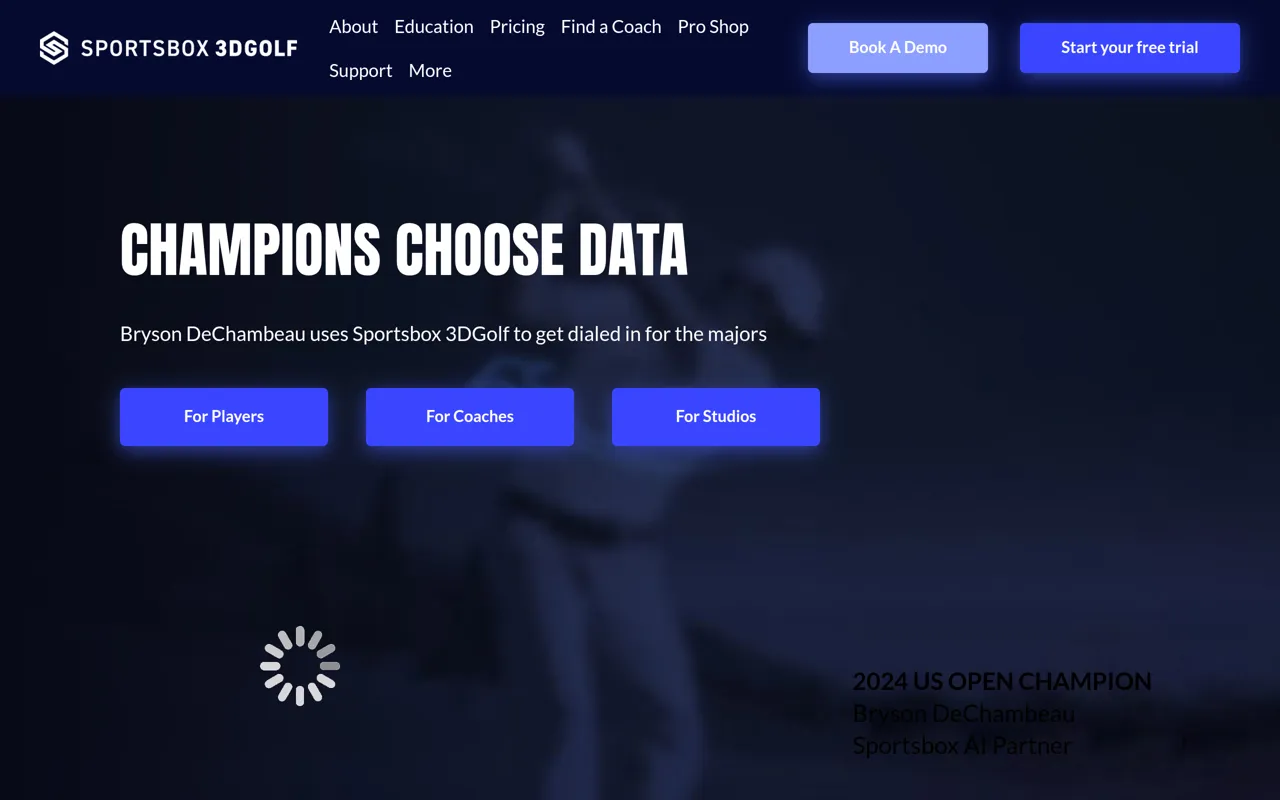
Sportsbox AI is an AI-powered 3D motion analysis platform that revolutionizes golf instruction by transforming standard smartphone videos into comprehensive 3D biomechanical data. Using proprietary computer vision and deep learning technology, it captures, measures, and analyzes golf swings with the same precision as expensive motion capture systems — all from a single video recorded on your phone.
Key Features & Capabilities
- 3D Animation from 2D Video: Converts any swing video into full 3D animation viewable from six angles (face-on, down-the-line, behind, from target, above, below)
- Accurate Biomechanical Measurements: Tracks 30+ key body points to measure swing mechanics in precise degrees and inches
- Dual Analysis Tools: Analyze swings in both 3D and 2D with trackers and drawing tools
- Swing Comparison: Compare before/after swings or benchmark against professional models with quantified differences
- Custom Watchlists: Coaches can set goal ranges for specific metrics, providing students immediate feedback on progress
- Auto Swing Detection: Automatically records and cuts swing videos for streamlined workflow
Who It's For
Designed for three audiences: individual golfers seeking data-driven improvement, golf instructors (including top Golf Digest 50 Best Teachers like Sean Foley, David Leadbetter, and Mike Adams), and golf studios and academies. Used by champions including 2024 US Open winner Bryson DeChambeau.
Technology & Differentiation
Developed by AI scientists and computer vision experts, Sportsbox AI's patent-pending technology provides professional-grade 3D motion capture at a fraction of traditional system costs. The platform works with leading biomechanical scientists to deliver kinematic parameters critical for sports movement analysis, making previously inaccessible technology available in your pocket for remote coaching, range sessions, or at-home practice.

Swing Coach
Best for All Skill LevelsWhat It Does
Swing Coach is an AI-powered golf training application that delivers professional-grade swing analysis and personalized coaching directly to golfers of all skill levels. Using advanced computer vision and motion capture technology, the app analyzes your golf swing in real-time, identifying technical flaws and providing actionable feedback to improve your game.
Who It's For & The Problem It Solves
Designed for golfers ranging from beginners to advanced players, Swing Coach democratizes access to high-quality golf instruction. Traditional golf lessons can be expensive and require scheduling with a pro, while generic online tips lack personalization. Swing Coach bridges this gap by providing instant, AI-driven feedback whenever and wherever you practice, making professional-level coaching accessible and affordable.
Key Features & Capabilities
• AI Swing Analysis: Records and analyzes your golf swing using computer vision to detect technical issues in your form • Personalized Feedback: Provides specific, actionable recommendations tailored to your unique swing mechanics • Progress Tracking: Monitors improvement over time with detailed metrics and swing comparisons • Practice Mode: Enables focused training sessions with real-time guidance and corrections • Mobile-First Design: Optimized for use on the driving range or practice area with smartphone convenience
Typical Workflows
Golfers simply record their swing using their smartphone camera. The AI immediately processes the video, highlighting key positions, angles, and timing issues. Users receive instant feedback on what to adjust, can compare swings side-by-side, and track their progress across practice sessions. The app makes it easy to build better habits through consistent, data-driven practice.
What Makes It Different
Swing Coach combines professional coaching methodology with cutting-edge AI technology to deliver insights previously available only through expensive private lessons. The mobile-native experience means you can get expert analysis anywhere you practice, turning every session into a productive learning opportunity.


GolfFix AI Golf Swing Analyzer
Best iOS OptionTransform Your Golf Game with AI-Powered Swing Analysis
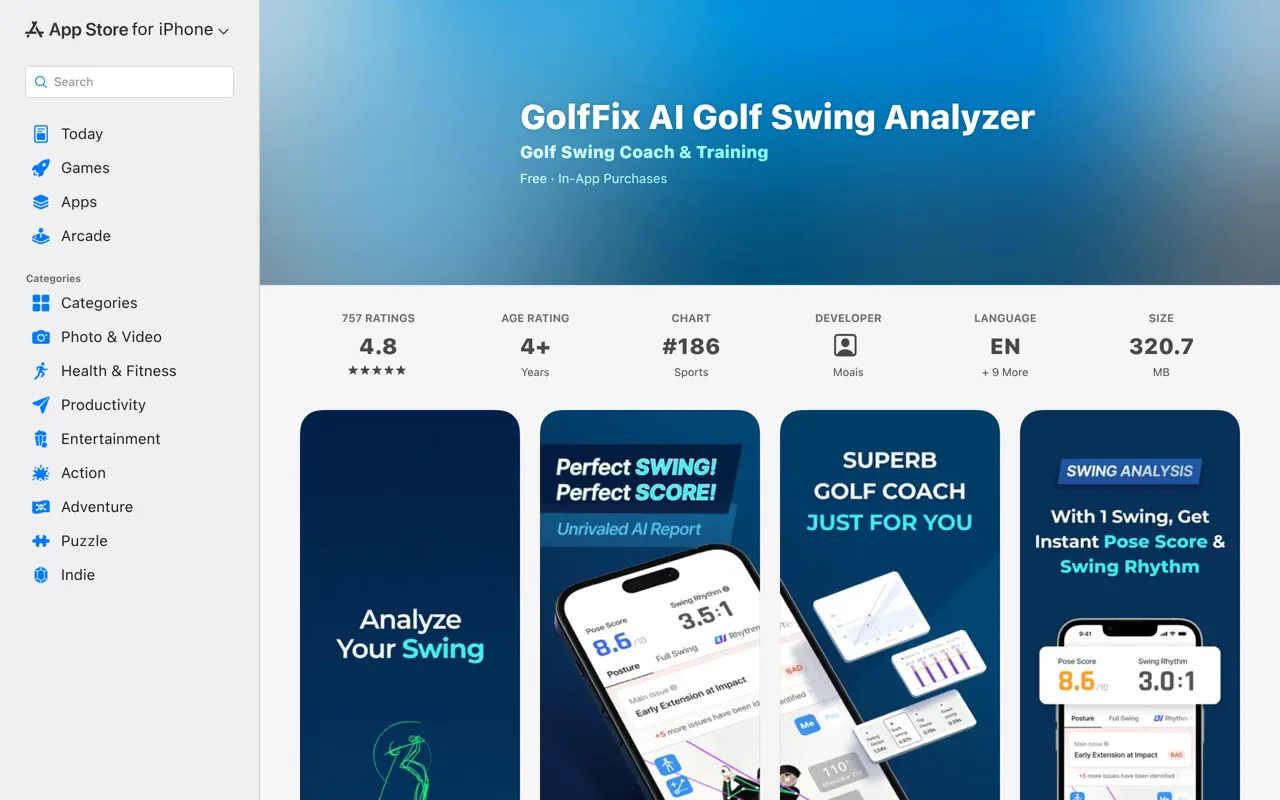
GolfFix is an intelligent mobile application that leverages advanced AI vision technology to analyze your golf swing and deliver personalized coaching recommendations. Designed for golfers of all skill levels, the app helps you identify flaws, track progress, and develop a consistent, powerful swing—all from your iPhone or iPad.
Who It's For
Whether you're a beginner struggling with inconsistency, an intermediate player seeking longer drives, or an experienced golfer fine-tuning your technique, GolfFix provides the data-driven insights you need. The app is particularly valuable for players who want professional-level analysis without the cost of ongoing private lessons.
Key Features & Capabilities
- Advanced AI Swing Analysis: Automatically detects and records your swing from address to finish, identifying over 45 specific swing issues with clear explanations, solutions, and visual examples
- Shot Fix Lessons: Targeted instruction for common problems including slices, hooks, pulls, pushes, loss of distance, skying, fat shots, topping, shanks, and toe shots
- Rhythm & Tempo Analysis: Breaks down your swing into four distinct parts (backswing, top pause, downswing, and overall tempo) to help you develop consistent timing
- Focus Drill Mode: Personalized training drills matched to your level and swing style, with instant feedback on every practice swing
- Swing Comparison: Compare your technique side-by-side with professional golfers or your own past swings to measure improvement
- Monthly AI Reports: Comprehensive progress tracking that highlights your most improved areas, commonly occurring issues, daily practice streaks, and average posture scores
- Global Community: Share swings and tips with players worldwide, with built-in translation for seamless cross-language communication
- Video Tools: Import existing videos or record at 60 FPS (device dependent), with unlimited swing log storage for premium members
Typical Workflow
Record your swing using your device's camera, and GolfFix's AI instantly generates a complete swing sequence. The app analyzes your mechanics, identifies specific issues, and provides actionable recommendations. Practice with the Focus Drill exercises, then track your monthly progress through detailed reports that show exactly how your game is improving over time.
What Sets It Apart
GolfFix combines professional-grade swing analysis with an accessible mobile interface, making advanced golf coaching available anytime, anywhere. The app's ability to detect 45+ specific issues and provide targeted drills for each problem gives you a personalized improvement plan that evolves with your game. With a 4.8-star rating from over 750 users, GolfFix has proven its value to golfers seeking measurable improvement.

PG1 Plus
Best for Root Cause AnalysisWhat It Does
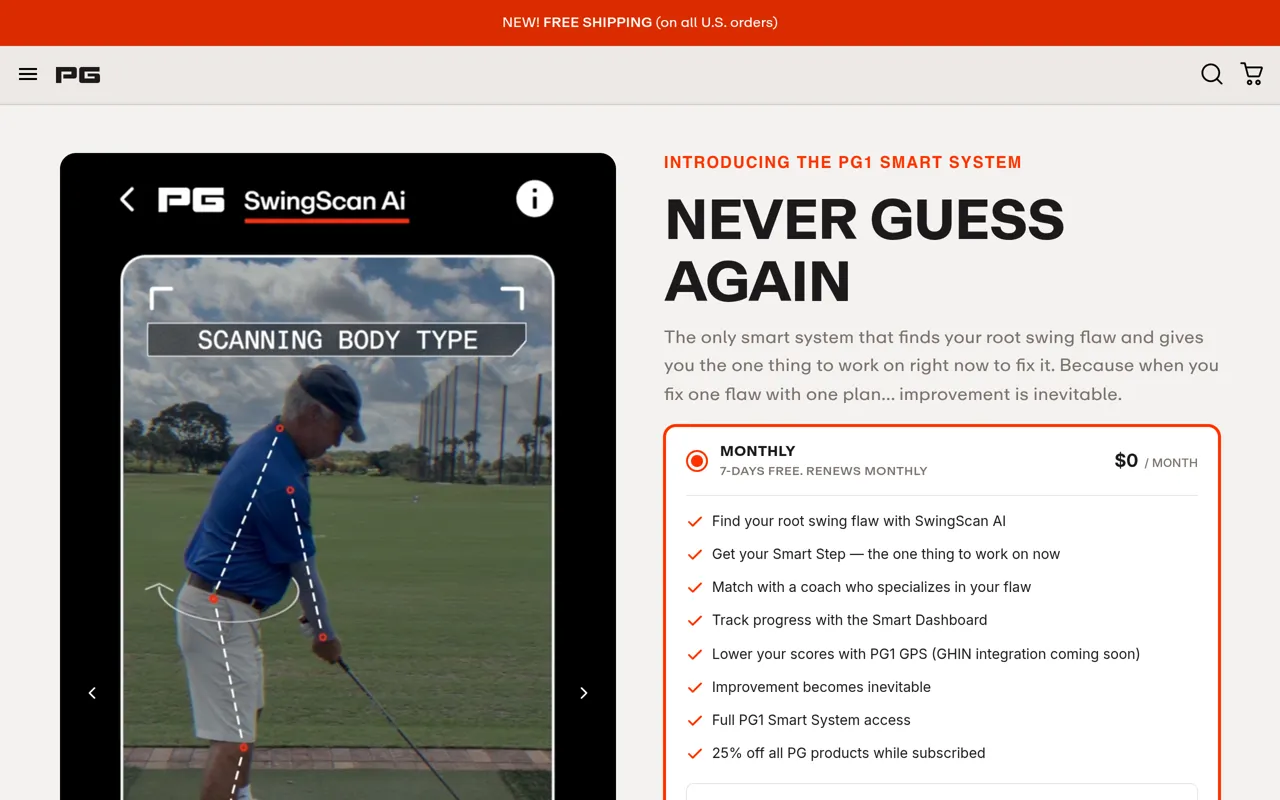
PG1 Plus is a comprehensive AI-powered golf improvement system that goes beyond traditional golf apps by identifying your root swing flaw — the fundamental issue causing all other problems in your swing — and providing a personalized, step-by-step plan to fix it. Unlike generic golf instruction that offers one-size-fits-all tips, PG1 Plus delivers a smart system that adapts to your unique game and evolves as you improve.
Who It's For
PG1 Plus is designed for golfers of all skill levels who are tired of guessing what to work on and want a clear, personalized path to improvement. Whether you're struggling with tee shots, putting, approach shots, or short game, the system matches you with expert coaching tailored to your specific needs. It's ideal for players who want to improve without spending countless hours on the range or investing in expensive one-off lessons that don't address the root cause of their problems.
Key Features & Capabilities
• SwingScan AI: Film your swing with your phone and get instant analysis powered by AI trained on 2M+ swings across 47+ documented flaw patterns to identify your root swing flaw • Smart Step System: Receive one focused drill or correction at a time — the single most important thing you need to work on right now, which evolves as you improve • Smart Match Coaching: Get paired with a dedicated coach who specializes in your specific root swing flaw type, not randomly assigned • Progress Dashboard: Track your root swing flaw improvement in real-time, seeing progress before it shows up on your scorecard • PG1 GPS: Track rounds and practice sessions with integrated GPS functionality (GHIN integration coming soon) • Personalized Assessment: The system learns your swing, goals, history, strengths, and frustrations to build a custom improvement path
Typical Workflows
Golfers start by answering a quick assessment about their game's biggest weaknesses. They then film their swing using their smartphone, and SwingScan AI analyzes it to pinpoint their root swing flaw. The system provides their first Smart Step — a single, focused correction to work on. As they practice and play, they track sessions through the app, and their dedicated coach reviews their progress. The dashboard shows improvement in real-time, and as they master each Smart Step, the system automatically identifies the next most important thing to work on.
What Differentiates It
Unlike traditional golf instruction methods (YouTube videos, one-off lessons, generic apps) that treat symptoms rather than root causes, PG1 Plus is the only system that starts by finding your root swing flaw first. When you fix the root cause, 3-4 symptom swing flaws automatically disappear. The system offers three subscription tiers (Monthly, Annual, and Lifetime Founders access) with a 7-day free trial, all including 25% off Performance Golf products while subscribed and a 365-day guarantee.

DeepSwing
Best for Quick AnalysisTransform Your Golf Game with AI-Powered Swing Analysis
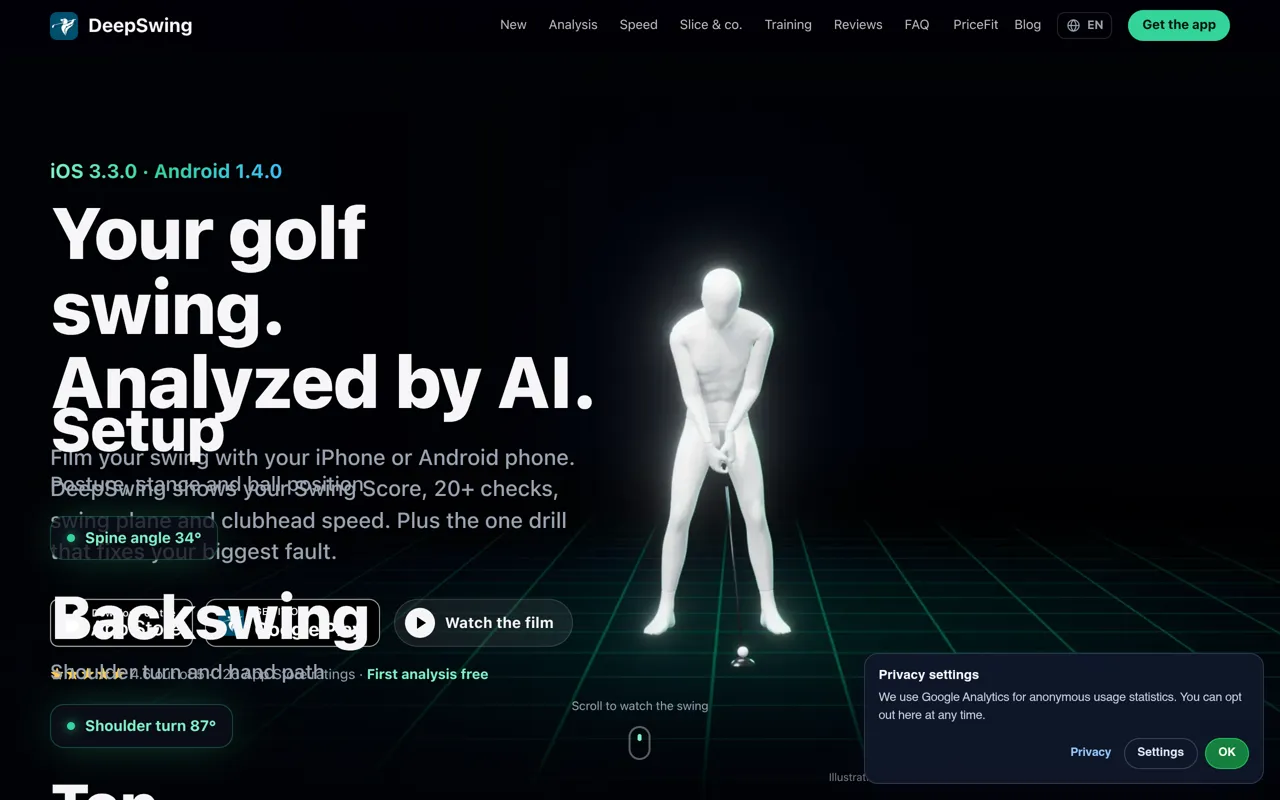
DeepSwing is a comprehensive golf swing analyzer app for iPhone and Android that uses advanced computer vision and AI to break down every aspect of your swing. Simply film yourself with your phone—no sensors, no radar equipment needed—and DeepSwing delivers professional-grade analysis in seconds, identifying the one fix that will improve your game the most.
Who It's For
Whether you're a beginner learning the fundamentals, a mid-handicapper looking to eliminate costly mistakes, or a low-handicapper seeking frame-by-frame precision, DeepSwing adapts to your skill level. Golf coaches also use the app's second-screen streaming and detailed breakdowns to provide data-driven instruction to their students.
Key Features & Capabilities
- Comprehensive Swing Analysis: 20+ automated checks across 6 swing phases (setup, backswing, top, downswing, impact, finish), including swing plane, clubhead path, hip turn, shoulder rotation, weight shift, and more
- Swing Score System: Clear, prioritized feedback showing exactly where you gain and lose points, with the most impactful fix highlighted first
- Clubhead & Ball Speed Tracking: Radar-free speed measurement from face-on video, with history per club to track your progress over time
- 3D Ghost Reference: Your swing overlaid with a 3D reference model for instant visual comparison
- Understand Your Miss: Detailed explanations of slice, hook, push, pull, fat, and thin shots with the swing checks that cause each ball flight
- On-Course Mode (Pro): Record and analyze every real shot during 9- or 18-hole rounds, with automatic background analysis and per-hole Swing Scores
- Training Coach: Personalized weekly training plans based on three simple questions about your goals, equipment, and skill level
- Live Coach: Real-time voice, visual, and haptic feedback while you practice, with Apple Watch integration
- Multi-Swing Sessions: Keep hitting balls; every swing is automatically captured, trimmed, and saved to your history
- Lock Screen & Widgets: iPhone Live Activities, Apple Watch complications, and home screen widgets keep your round and stats always visible
Typical Workflows
Film your swing face-on or down-the-line using one-swing autocapture. DeepSwing detects the view, records automatically, and trims the clip. Review your Swing Score to see your biggest issue and the drill to fix it. Track speed history per club to measure improvement. On the course, use Lock Screen controls to capture each real shot, then review the round's swing quality hole by hole. Compare swings side by side to see progress over time, or export slow-motion videos with overlays to share with your coach.
Integrations & Platform Support
Available as native apps on iOS (3.3.0) and Android (1.4.0), with deep integration into Apple Watch for hands-free recording and round tracking. The app supports 18 languages and works for both right- and left-handed golfers. On-device analysis ensures your swing videos are processed privately on your phone without uploading.
What Sets DeepSwing Apart
Unlike traditional lesson systems or generic video apps, DeepSwing combines AI-driven biomechanical analysis with practical coaching in your pocket. The app measures swing plane from the actual clubhead path, not just body movement, and delivers actionable drills for every detected fault. With no external hardware required and a privacy-first design, DeepSwing makes professional-level swing analysis accessible to every golfer, wherever they practice or play.

Swing Profile
Best for Hands-Free RecordingSwing Profile is an award-winning golf swing analyzer app that uses advanced AI to help golfers of all skill levels improve their game through automated video capture, instant replay, and comprehensive swing analysis—all completely hands-free.
Designed for Golfers and Golf Professionals
Whether you're a weekend golfer working on your form or a PGA professional coaching students, Swing Profile streamlines the process of capturing, analyzing, and comparing golf swings. The app eliminates the need to constantly interact with your device, allowing you to focus entirely on your practice or instruction. Named "Best Overall Product" at the 2012 PGA Merchandise Show, it has become a trusted tool for LPGA Master Professionals, European Tour coaches, and serious golfers worldwide.
Key Features & Capabilities
- Auto Capture & Ball Tracking: Patented AI continuously detects and records your golf swings while tracking ball trajectories, eliminating the need to manually start/stop recording
- Auto Replay: Automatically trims video to the critical 2-second swing motion and plays it back in slow motion immediately after your shot
- Auto Swing Plane & Sequence: Generates "Golf Digest"-style swing sequences with standard reference lines (swing plane, shoulder plane, vertical references) drawn automatically on every swing
- Auto Sync with Pro Swing: Instantly synchronize and compare your swing side-by-side with professional golfers or your previous swings
- Twin-Cam Support: Capture simultaneous down-the-line and frontal views using multiple devices (iPhone, iPad) for comprehensive analysis
- High Frame Rate Recording: Supports up to 240 FPS for ultra-smooth slow-motion playback
- Frame-by-Frame Analysis: Review every position in your swing with precision control
For Golf Instructors: The Coach App
Swing Profile offers specialized features for teaching professionals, including student lockers for organized client management, voice-over analysis capabilities, sharing and messaging tools, custom branding options, cloud storage, and a coach directory. The Coach Plan is available for $19.99/month.
Typical Workflow
Set up your device on a tripod or selfie stick at the recommended distance and height. Launch Swing Profile and activate auto-capture mode. Take your swings naturally—the app detects each one, records it, and immediately plays it back in slow motion with reference lines already drawn. Review your form instantly, compare with previous swings or pro examples, and make adjustments on the spot. For instructors, record student sessions, add voice-over commentary, and share analyzed videos directly through the app.
Pricing & Availability
Swing Profile offers a free plan to get started, with premium Elite features available via annual subscription. Unlike competing apps, there are no hidden charges or ads in the paid version. The app is available for iOS (App Store) and Android (Google Play), making it accessible across all major mobile platforms.
What Sets It Apart
Swing Profile's combination of fully automated capture, instant analysis with professional-grade reference lines, and seamless pro-comparison tools delivers efficiency that busy instructors and dedicated golfers demand. The hands-free operation and immediate feedback loop accelerate improvement far beyond traditional video recording methods.


Mustard
Best for Multi-Sport AthletesAI-Powered Sports Training for Golf and Baseball
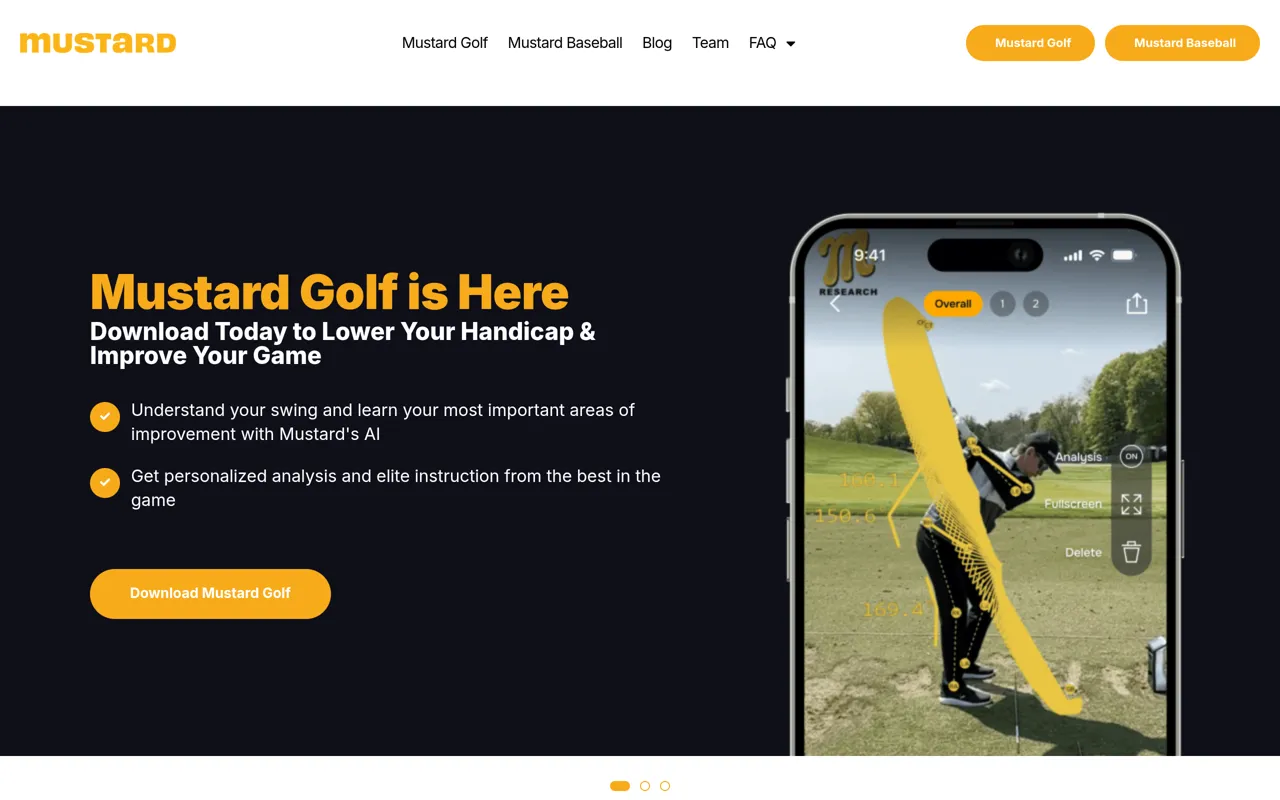
Mustard is a mobile application that brings elite-level coaching and biomechanical analysis directly to athletes through artificial intelligence. Co-founded by legendary pitching coach Tom House, Mustard provides the same personalized assessments and training that professional athletes receive, making advanced sports instruction accessible to players at all levels.
Real-Time Mechanical Analysis
The app uses computer vision and AI to analyze athletic movements in real time. For baseball pitchers, users simply record short videos of their pitching motion and submit them with a single click. Within minutes, Mustard delivers a comprehensive report card showing mechanical metrics, key still frames, and stick figure visualizations of the motion. The golf version provides similar swing analysis to help players lower their handicap and improve their game. Each analysis automatically generates a full, personalized training plan tailored to the athlete's specific needs and areas for improvement.
Elite Coaching in Your Pocket
Mustard puts 40+ years of Tom House's pitching mechanics data and learnings directly in users' hands. The platform offers:
- Individualized training plans customized for each athlete
- Mechanical efficiency tracking and progress monitoring over time
- Access to elite instruction from world-class coaches and professional athletes
- Drill sequences and mental performance coaching from experts like Jason Goldsmith
- Pitch sequence analytics for pinpointing improvement areas
- Slow-motion drill features that let athletes experience perfect form in real time
Built for Athletes, Coaches, and Teams
While individual athletes can use Mustard for personal development, the platform also offers a Coach Platform for team training. Coaches can effectively manage entire rosters of pitchers, track mechanical efficiency across their team, and provide premium app access to each player. The partnership with Pocket Radar provides immediate performance feedback alongside mechanical insights, connecting form to results.
Trusted by MLB Players and Youth Athletes Alike
Mustard has been used by MLB pitchers like Lucas Giolito and Joey Steele, as well as thousands of youth athletes and their families. Parents report dramatic improvements in their children's mechanics, confidence, and game performance. The app's simple interface makes sophisticated biomechanical analysis accessible without requiring in-person coaching, allowing athletes to train anywhere and see measurable progress week over week.

G-Swing - Golf Swing AI & Photo
Best for Video Analysis ToolsWhat It Does
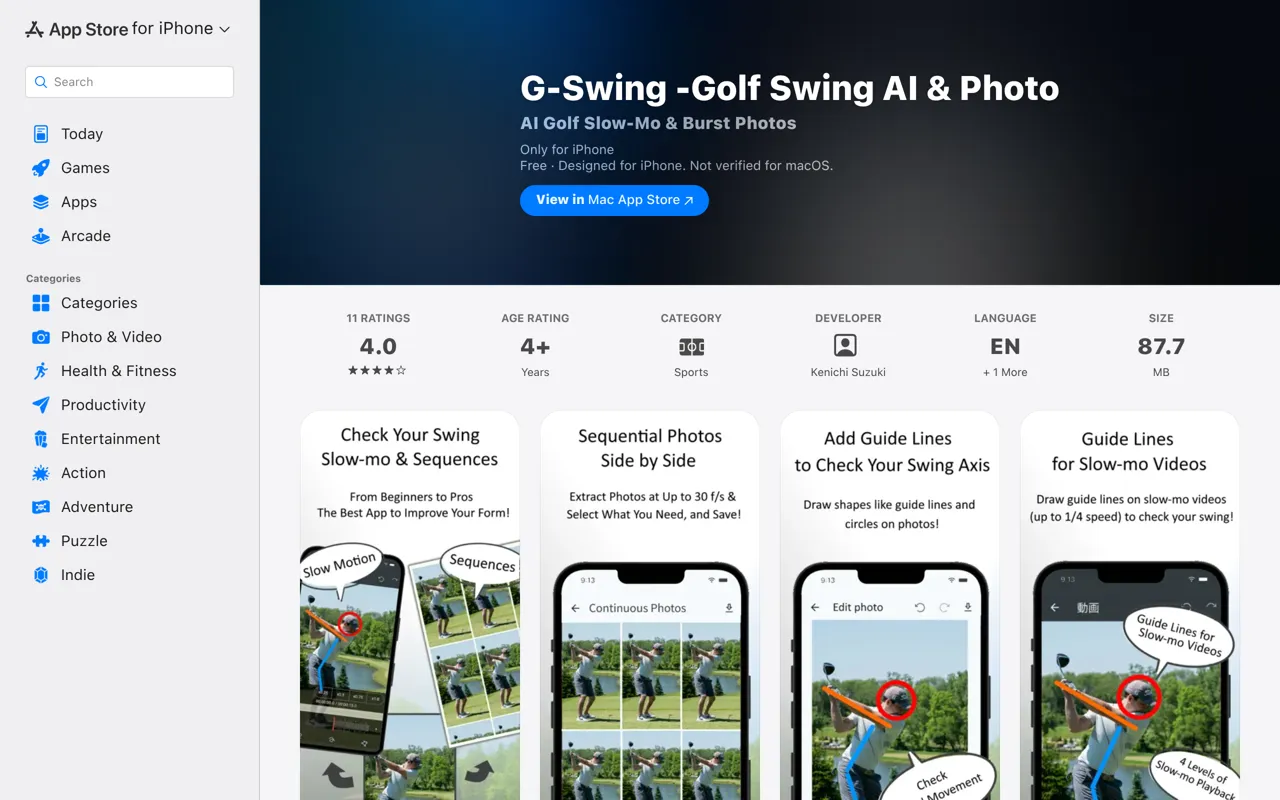
G-Swing is a comprehensive golf swing analysis mobile app that combines AI-powered swing diagnosis with professional-grade video analysis tools. The app allows golfers to import videos shot at the driving range or on the course, then analyzes every detail of their form through slow-motion playback and automatically generated high-quality burst photos. By leveraging the latest AI technology, G-Swing provides objective feedback on swing mechanics that even experienced golfers might miss with the naked eye.
Who It's For
G-Swing is designed for golfers of all skill levels who are serious about improving their swing technique and lowering their scores. Whether you're a weekend warrior working on consistency at the driving range or a competitive player fine-tuning your form on the course, this app provides the detailed analysis tools you need to identify and correct swing flaws.
Key Features & Capabilities
- AI Swing Analysis: Latest AI technology analyzes your swing video and delivers coaching advice from a professional's perspective, pinpointing exactly what needs improvement
- Automatic Burst Photo Generation: Extract 10–30 frames per second from your swing video, capturing critical moments like impact and shaft flex that are invisible to the naked eye
- Save & Export Up to 50 Frames: Download and archive burst photos to track your progress over time and review your form whenever you need
- Slow Motion Playback: Watch your swing at speeds down to 1/4x and up to 2.0x to analyze timing and movement issues in granular detail
- High-Resolution Video Support: Import and analyze H.265 (HEVC) and 4K+ resolution videos for maximum clarity
- Stable Playback: Automatic conversion of MOV videos to MP4 ensures consistent playback across devices
Typical Workflows
Golfers typically use G-Swing by recording their swing on their smartphone or having a friend film them. After importing the video into the app, they use the AI diagnosis feature to receive immediate feedback on their form. They then review the automated burst photos to examine specific positions throughout their swing, using slow-motion playback to study timing and mechanics. Over time, users build a visual library of swing improvements, comparing old and new footage to track their development.
What Makes It Different
G-Swing stands out by combining professional-level video analysis tools with accessible AI coaching in a mobile-first package. Unlike generic video analysis apps, it's purpose-built for golf with features like automatic burst photo generation that captures the precise moments that matter most in a swing. The AI feedback provides objective analysis that complements lessons from human coaches, giving golfers actionable insights they can practice between coaching sessions.
SwingSmith
Best for Clear Practice PrioritiesWhat SwingSmith Does
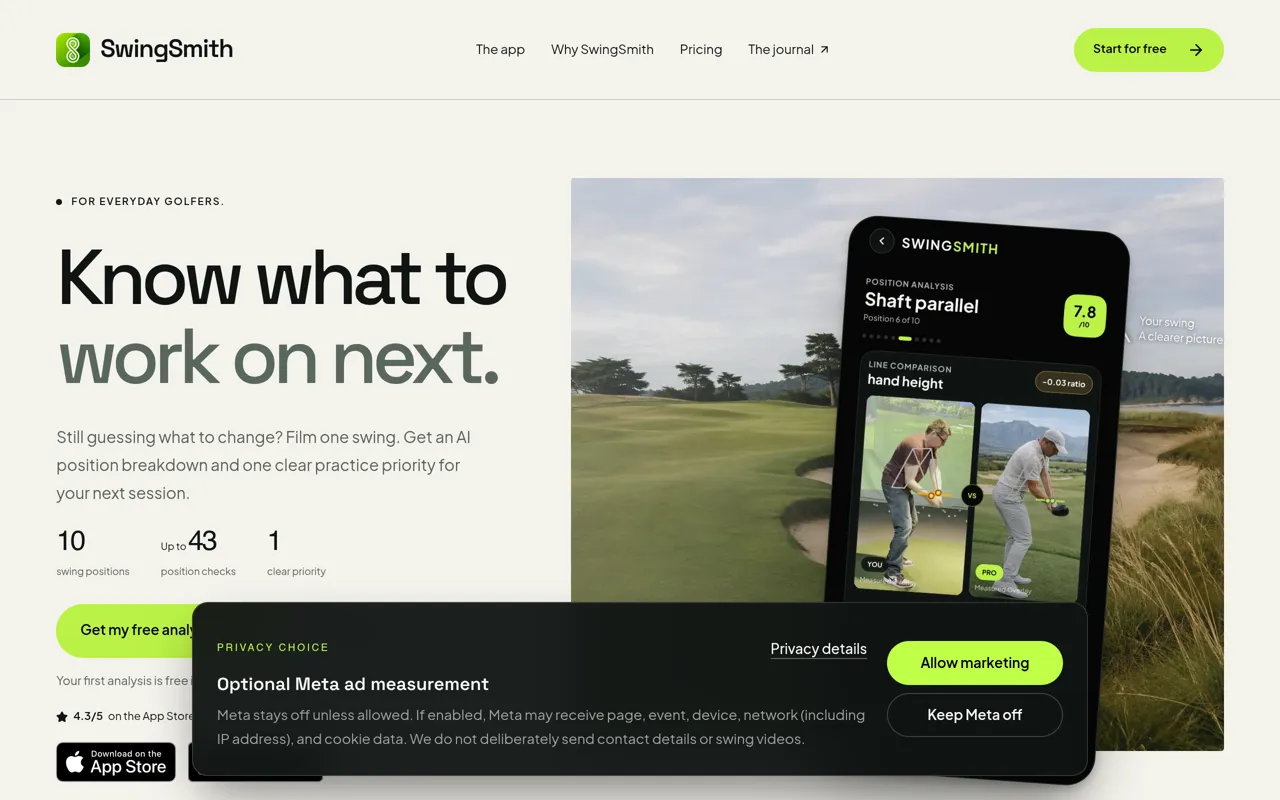
SwingSmith is an AI-powered golf swing analysis app designed for everyday golfers who want clarity on what to practice next. Using just your smartphone camera, SwingSmith analyzes your swing video across up to 43 position checks and 10 key swing positions (P1–P10), then delivers one clear practice priority to focus your next range session. No extra sensors, launch monitors, or equipment required—just film a swing and get actionable feedback.
Who It's For
SwingSmith is built for golfers working to improve between lessons. Whether you're at the range, practicing at home into a net, or preparing questions for your next coaching session, SwingSmith brings structure to the work you do when your coach isn't beside you. It's designed to make practice more purposeful and help you bring better-informed questions back to your instructor.
Key Features & Capabilities
- AI Position Analysis: Up to 43 position checks across 10 swing positions, covering metrics like head stability, hip sway, lead-arm extension, shoulder turn, weight shift, and more
- Face-On and Down-the-Line Views: Two camera angles to capture the full picture of your movement
- Swing Path & Ball Trace: Visual overlays showing clubhead travel and estimated ball flight (paid features)
- Ask Brody AI Coach: Conversational AI assistant to discuss your swing and get practice guidance (subscriber feature)
- Swing History: Save videos and feedback in one place for long-term tracking and comparison
- Visual Comparison Tools: Overlay and compare swings side-by-side to see progress (paid feature)
- Practice Priority System: Each analysis delivers one focused recommendation, not an overwhelming list
Typical Workflows
At the range, film one swing, review your priority, and take that single focus into your bucket of balls. At home, analyze your movement on video when you can't see full ball flight. Between lessons, revisit saved results to keep your coach's guidance in focus and document your practice questions.
What Differentiates SwingSmith
SwingSmith is not a launch monitor replacement—it analyzes visible positions in your video, not ball flight data. The AI processes what your phone can capture: posture, movement, positions, and clubhead path. SwingSmith's philosophy is clarity over complexity: one swing, one next step. Your first analysis is completely free with no card required, giving you a no-risk way to see if the feedback fits your practice style.

XView AI: Golf Swing Analysis
Best for Long Drive TrainingTransform Your Golf Game with AI-Powered Swing Analysis
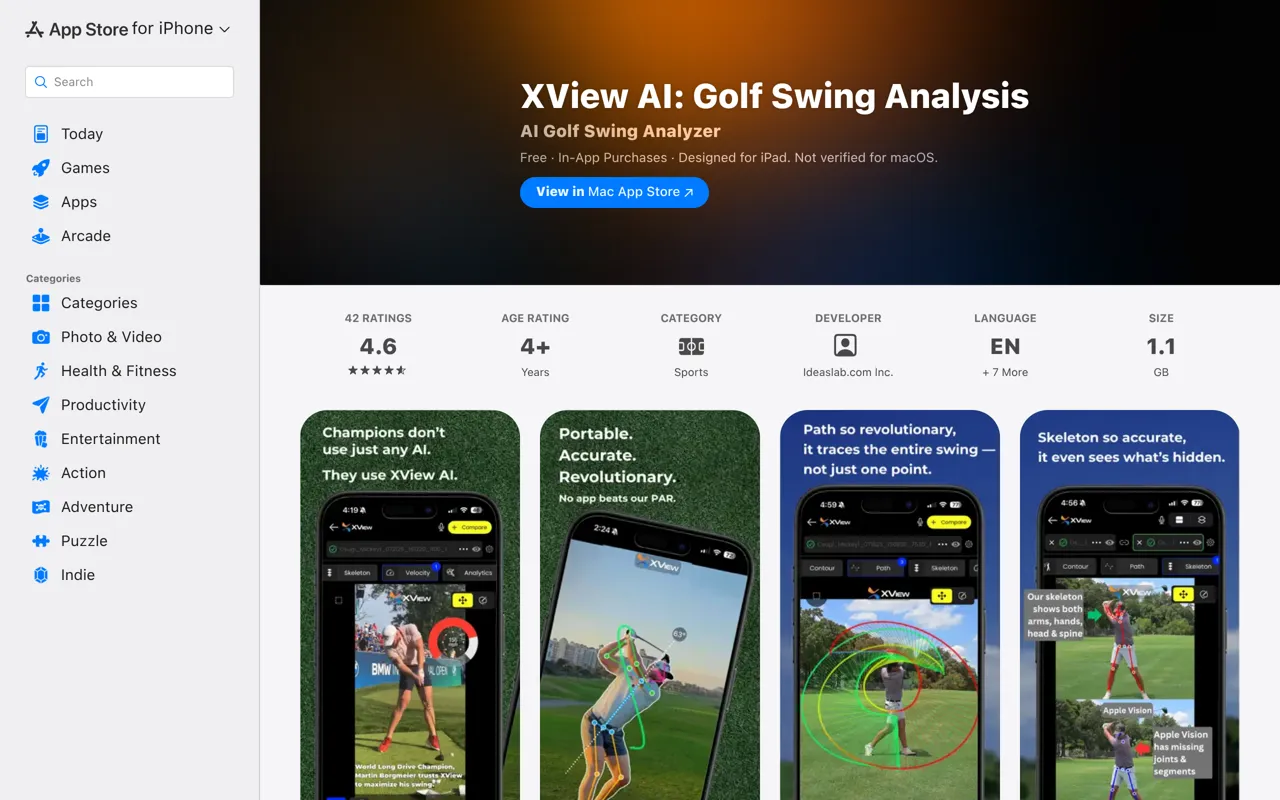
XView AI is a revolutionary mobile golf training application that brings professional-level swing analysis to golfers of all skill levels. Trusted by World Long Drive Champion Martin Borgmeier, this app uses advanced AI and computer vision technology to deliver precise, actionable insights that help you refine every aspect of your swing.
Who It's For
Whether you're a dedicated amateur looking to break through your plateau, a golf coach seeking better ways to demonstrate concepts to students, or a serious player pursuing championship-level performance, XView AI provides the tools you need. The app is designed for golfers who want professional-grade feedback without the cost and inconvenience of traditional video analysis services.
Key Features & Capabilities
• AI-Powered Motion Tracking: Advanced computer vision algorithms accurately track body motion, club path, and swing mechanics in real-time • 3D Swing Reconstruction: Multi-camera support enables true 3D analysis of your swing from multiple angles simultaneously • Center of Mass (COM) Tracking: Monitor balance and weight transfer throughout your swing with precision • Intuitive Visual Overlays: Clear, customizable reference lines and swing path visualizations make it easy to identify flaws • Comprehensive Analytics: Track velocity, club positions (P1-P9), shaft angles, and dozens of other metrics with detailed graphs • Compare Mode: Place swings side-by-side to track progress or compare your technique to ideal form • Swing Library: Store and organize unlimited swing videos (in Plus/Pro tiers) to monitor improvement over time
Flexible Pricing to Match Your Needs
XView AI Free includes 5 swing video slots with core AI analysis features — perfect for getting started. XView AI Plus ($4.99/month or $49.99/year) unlocks unlimited swing storage and analyses. XView AI Pro ($29.99/month or $299.99/year) adds advanced golf-specific AI tools used by champions and coaches for elite-level training.
What Sets It Apart
Unlike generic video analysis apps, XView AI is built specifically for golf with PAR technology (Portable, Accurate, Revolutionary). The app's sophisticated 3D reconstruction, multi-camera synchronization, and golf-specific measurement tools deliver insights previously only available in high-end golf studios. With continuous improvements to accuracy, performance, and feature depth, XView AI represents the future of mobile golf instruction.
How We Chose These Tools
We tested 10+ tools and scored them based on:
Frequently Asked Questions
🏆 Final Thoughts
AI golf swing analyzers have made professional-grade analysis accessible to golfers at every level without expensive equipment or constant coaching fees. The best apps translate complex biomechanical data into clear, actionable practice priorities that produce measurable improvement. Choose based on your learning style, whether you prefer detailed measurements or simplified guidance, and how the app fits into your practice routine.
Most apps offer free trials or basic versions that let you test the analysis quality and interface before committing to a subscription. Start with the features you'll actually use during practice rather than choosing based on the longest feature list. Consistent use with focused practice on one or two issues produces better results than sporadic analysis of every possible swing flaw.