
Similar Tools
About TypoTab
Transform Your Writing Workflow with AI-Powered Efficiency
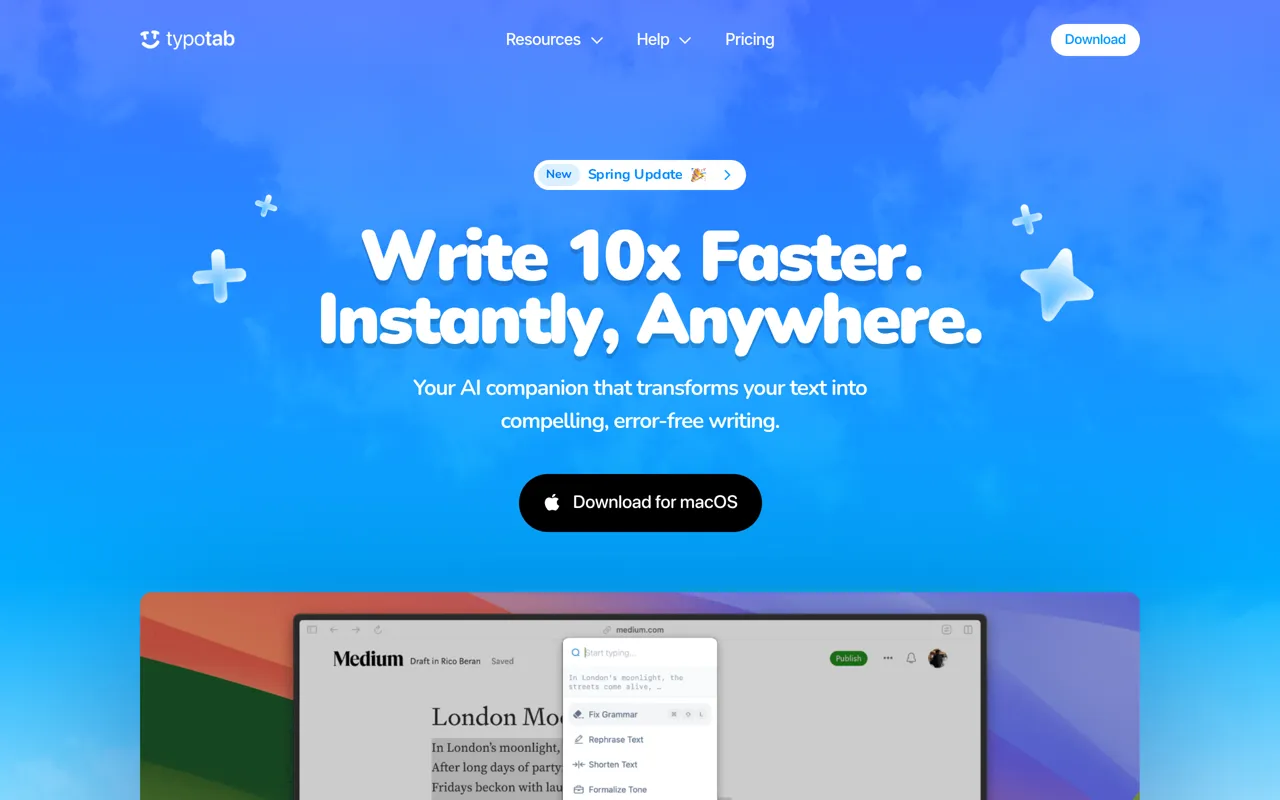
TypoTab is a menu bar writing assistant for macOS that brings powerful AI capabilities directly into any application you use. Instead of switching between apps or copying text to a separate tool, TypoTab lets you refine, rephrase, and perfect your writing exactly where you're already working—whether that's in email, documents, code editors, or chat applications.
Who It's For & What Problem It Solves
Designed for anyone who writes regularly—students, developers, marketers, and professionals—TypoTab eliminates the friction of context-switching and streamlines repetitive writing tasks. The tool addresses the common pain point of juggling multiple writing tools by consolidating AI-powered text assistance into a single, always-accessible interface that stays hidden in your menu bar until you need it.
Key Features & Capabilities
- Universal Compatibility: Works seamlessly across all macOS applications without requiring special integrations
- Keyboard-First Design: Access AI writing tools instantly via customizable keyboard shortcuts
- Customizable Actions: Tailor writing commands to fit your specific workflow needs, from fixing grammar to generating proposal intros
- Versatile Use Cases: Handle everything from code generation and cold emails to study notes and essay writing
- Minimal Interface: Lives discreetly in your menu bar—no clutter, just results when you need them
How It Works
Simply activate TypoTab with a keyboard shortcut, select from actions like "Fix Grammar," "Shorten Text," "Rephrase," or custom workflows, and watch as AI transforms your text instantly. The tool supports common tasks like turning raw notes into structured content, automating repetitive writing, and polishing professional communications—all without breaking your flow or leaving your current application.
What Sets It Apart
Unlike browser-based or app-specific writing assistants, TypoTab's system-wide availability and keyboard-centric approach means you never lose momentum. The unlimited usage model (no per-use limits) and straightforward pricing make it accessible for daily power users who want AI assistance without usage anxiety or workflow disruption.
AI Tool
Analytics
AI Tool Categories
AI agents capable of generating human-like text for blogs, articles, and other written content.
Virtual assistants powered by LLMStack, capable of handling customer queries, task delegation, and more.
AI agents designed to enhance personal and professional productivity by automating tasks, managing schedules, prioritizing work, and providing insights to improve efficiency.
AI tools and platforms designed to create, optimize, and enhance digital content. These agents assist in generating text, images, audio, video, and multimedia assets, catering to diverse needs across industries such as marketing, education, entertainment, and e-commerce.
AI Tool Use Cases
Text Generation
Generate human-like text and content
Code Generation
Automated creation of source code, scripts, and development solutions using AI assistance
Content Generation
AI-powered tools that generate content for blogs, social media, and other platforms based on given prompts and topics.
Email Management
AI agents optimize email workflows by organizing inboxes, filtering spam, categorizing messages, scheduling follow-ups, and generating personalized responses. This automation enhances productivity and communication efficiency for professionals and teams.
Reviews
Need help implementing TypoTab?
Connect with certified implementation partners who can help transform your business with TypoTab. Our vetted experts specialize in AI integration and deployment.
Find Implementation PartnersVetted Experts
Pre-screened partners with proven expertise in AI implementation
Fast Deployment
Accelerate your AI integration with experienced professionals
Guaranteed Results
Work with partners who understand your business needs
AI Tool
Analytics
AI Tool Pricing
Subscription Model
Monthly or annual subscription plans with tiered pricing and feature sets. Predictable costs with included usage limits.
Paid plans starting from
Prices may vary based on usage volume and selected features. Contact sales for custom enterprise pricing.
Integration Methods
Direct website or browser integration
AI agents with desktop applications to enhance functionality and workflows. These integrations enable advanced features like local data processing, task automation, and offline capabilities, making AI agents more accessible for professional and personal use.
Need help implementing TypoTab?
Connect with certified implementation partners who can help transform your business with TypoTab. Our vetted experts specialize in AI integration and deployment.
Find Implementation PartnersVetted Experts
Pre-screened partners with proven expertise in AI implementation
Fast Deployment
Accelerate your AI integration with experienced professionals
Guaranteed Results
Work with partners who understand your business needs
Similar Tools

Aqua Voice
AI-powered voice dictation that turns speech into polished text 5x faster than typing.

Fabi AI
AI-powered writing assistant for content generation, blog drafting, marketing copy, and email automation.

Zen AI Generator
AI-powered content creation platform with 70+ templates for writing, images, voiceovers, and code.
RewriteBar
macOS AI writing assistant for grammar fixes, translation, and custom text workflows via keyboard shortcut.
Featured Agents
Discover our hand-picked selection of exceptional AI agents

KnockoutStocks
KnockoutStocks
Smart stock analysis platform with AI-powered factor scoring for investment decision-making.
(5.0)

Wispr Flow
Wispr
AI-powered voice dictation that turns natural speech into polished writing 4x faster than typing.
(0.0)

Palabra.ai
Palabra AI
Real-time AI speech translation for live calls, events, and streams in 60+ languages.
(0.0)

Replit
Replit, Inc.
AI-powered platform for building full-stack apps with parallel agents, no coding required.
(0.0)

Unbounce
Unbounce Inc.
AI-powered landing page builder with no-code A/B testing and conversion optimization for marketers.
(0.0)