
Similar Tools
About Atua
What It Does
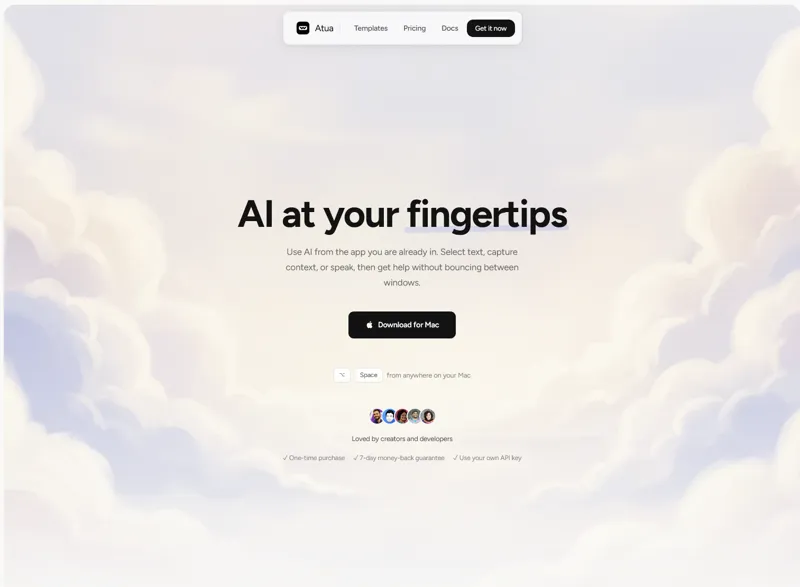
Atua brings AI capabilities directly into your Mac workflow, eliminating the need to switch between apps or browser tabs. Select text anywhere on your Mac, press a customizable keyboard shortcut, and instantly get AI-powered assistance without interrupting your flow. Whether you're writing emails, reviewing code, or managing documents, Atua works seamlessly across all your applications.
Key Features & Capabilities
• Context-Aware AI Commands: Create custom commands that pull in selected text, screenshots, clipboard content, voice transcripts, OCR results, and more • System-Wide Shortcuts: Trigger AI assistance from any Mac application with personalized hotkeys • Built-in Mac Integration: Direct access to Calendar, Reminders, Notes, Finder, Shortcuts, Shell, and HTTP tools • MCP Server Support: Connect external tools like GitHub, databases, Slack, and custom APIs to extend functionality • Multi-Model Flexibility: Bring your own API keys from OpenAI, Anthropic, Groq, Mistral, DeepSeek, xAI, Perplexity, Ollama, and many other providers • Local Voice Input: Dictate commands using on-device speech recognition that runs entirely on your Mac • Action-Oriented Commands: Go beyond simple Q&A—commands can write back to apps, trigger tools, and chain multiple actions together
Who It's For
Atua is designed for creators, developers, and knowledge workers who want AI assistance integrated into their existing Mac workflows. It's ideal for anyone who finds themselves frequently copying text between apps and AI chat interfaces, or who wants to automate repetitive AI-powered tasks with custom keyboard shortcuts.
Privacy & Security
Atua operates with a privacy-first approach: no account required, no analytics collected, and all your data stays on your Mac. Network requests only occur for AI model calls and software updates. You maintain complete control over your API keys and choose which AI providers to use.
Pricing
Offered as a one-time purchase for $29 with lifetime access, free updates, and a 7-day money-back guarantee. No subscriptions or recurring fees.
AI Tool
Analytics
AI Tool Categories
AI agents that automate various workflows and processes
AI agents automate marketing processes such as email campaigns, social media management, and customer segmentation.
AI agents capable of generating human-like text for blogs, articles, and other written content.
AI agents designed to automate repetitive tasks and processes, optimizing business operations
Virtual assistants powered by LLMStack, capable of handling customer queries, task delegation, and more.
AI Tool Use Cases
Text Generation
Generate human-like text and content
Task Automation
Automate repetitive tasks and workflows
Code Generation
Automated creation of source code, scripts, and development solutions using AI assistance
Content Generation
AI-powered tools that generate content for blogs, social media, and other platforms based on given prompts and topics.
Reviews
Need help implementing Atua?
Connect with certified implementation partners who can help transform your business with Atua. Our vetted experts specialize in AI integration and deployment.
Find Implementation PartnersVetted Experts
Pre-screened partners with proven expertise in AI implementation
Fast Deployment
Accelerate your AI integration with experienced professionals
Guaranteed Results
Work with partners who understand your business needs
AI Tool
Analytics
AI Tool Pricing
One-Time Purchase
One-time purchase with lifetime access. Pay once and own forever, including all future updates.
Paid plans starting from
Prices may vary based on usage volume and selected features. Contact sales for custom enterprise pricing.
Integration Methods
Standard REST API integration for direct data access
Flexible GraphQL API for efficient data querying
Real-time WebSocket integration for live updates
Integration of AI systems with external applications and services through APIs for seamless data exchange and functionality.
Set up real-time communication between your application and external services using customizable webhooks.
AI agents with desktop applications to enhance functionality and workflows. These integrations enable advanced features like local data processing, task automation, and offline capabilities, making AI agents more accessible for professional and personal use.
Need help implementing Atua?
Connect with certified implementation partners who can help transform your business with Atua. Our vetted experts specialize in AI integration and deployment.
Find Implementation PartnersVetted Experts
Pre-screened partners with proven expertise in AI implementation
Fast Deployment
Accelerate your AI integration with experienced professionals
Guaranteed Results
Work with partners who understand your business needs
Similar Tools

Sudowrite
AI writing assistant for fiction and creative writing.
RewriteBar
macOS AI writing assistant for grammar fixes, translation, and custom text workflows via keyboard shortcut.

TypoTab
AI writing assistant that works everywhere on macOS with keyboard shortcuts for instant text improvement.

Zen AI Generator
AI-powered content creation platform with 70+ templates for writing, images, voiceovers, and code.
Featured Agents
Discover our hand-picked selection of exceptional AI agents

Wispr Flow
Wispr
AI-powered voice dictation that turns natural speech into polished writing 4x faster than typing.
(0.0)

Unbounce
Unbounce Inc.
AI-powered landing page builder with no-code A/B testing and conversion optimization for marketers.
(0.0)

Palabra.ai
Palabra AI
Real-time AI speech translation for live calls, events, and streams in 60+ languages.
(0.0)

Replit
Replit, Inc.
AI-powered platform for building full-stack apps with parallel agents, no coding required.
(0.0)

KnockoutStocks
KnockoutStocks
Smart stock analysis platform with AI-powered factor scoring for investment decision-making.
(5.0)