Similar Tools
About ScreenSnap Pro
What It Does
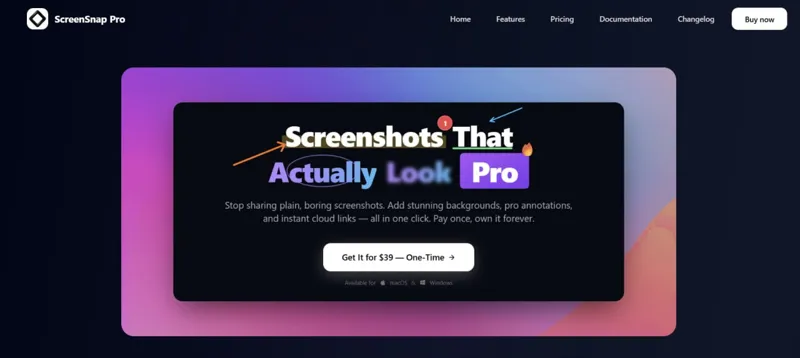
ScreenSnap Pro transforms plain screenshots into professional, eye-catching visuals with a single click. The tool combines screenshot capture, screen recording, advanced annotation, beautiful background templates, and instant cloud sharing into one streamlined desktop application. Available for both macOS and Windows, it eliminates the need for multiple apps in your workflow.
Who It's For & Problem Solved
Built for developers, designers, content creators, and professionals who frequently share visual content, ScreenSnap Pro solves the problem of boring, unprofessional screenshots. Whether you're documenting bugs, creating tutorials, sharing product demos, or communicating with teams, every screenshot becomes a polished first impression. The tool was created by Morgan after 15 years of sharing "ugly screenshots" and wishing for something better.
Key Features & Capabilities
- 15+ Annotation Tools: Arrows, shapes, blur, text, emojis, and more to communicate clearly without words
- 500+ Premium Backgrounds: Hand-crafted gradient backgrounds that transform plain captures into scroll-stopping visuals
- Screen Recording + Video Editor: Capture screen and webcam with system/microphone audio, then polish with smooth zoom, gradient backgrounds, padding, rounded corners, and shadows on a simple timeline. Export as video or lightweight GIF
- Instant Cloud Upload: Automatic cloud links with global CDN delivery—paste them in Slack, Discord, email, or anywhere URLs work. Optional feature; app works perfectly without it
- Quick Access Overlay: Screenshots appear instantly for immediate viewing, editing, or sharing without breaking workflow
- Text Extraction (OCR): Copy text from any screenshot, PDF, or locked content
- Website Capture: Paste a URL, select a device mockup, get clean full-page screenshots without scrolling or popups
- Pin Screenshots: Keep reference images always visible while working
- Drag & Drop Sharing: Move screenshots directly from overlay to any app or folder
Typical Workflows
Capture → Enhance with backgrounds and annotations → Share via instant cloud link or file. Record screen demos with webcam → Edit on timeline with zoom and studio framing → Export as video or GIF for tutorials and bug reports. The Quick Screenshot mode automates the entire capture-upload-link process for maximum speed.
What Differentiates It
ScreenSnap Pro is a one-time purchase ($39) with lifetime updates and no subscriptions—ever. With 500K+ screenshots created and a 4.8 average rating, it consolidates what typically requires three separate apps into one focused tool. The emphasis on beautiful presentation combined with professional-grade annotation and instant sharing sets it apart from basic screenshot utilities. 30-day money-back guarantee included.
AI Tool
Analytics
AI Tool Categories
AI-powered video editing, enhancement, and post-processing tools
AI agents designed to enhance personal and professional productivity by automating tasks, managing schedules, prioritizing work, and providing insights to improve efficiency.
AI tools and platforms designed to create, optimize, and enhance digital content. These agents assist in generating text, images, audio, video, and multimedia assets, catering to diverse needs across industries such as marketing, education, entertainment, and e-commerce.
AI Tool Use Cases
Reviews
Need help implementing ScreenSnap Pro?
Connect with certified implementation partners who can help transform your business with ScreenSnap Pro. Our vetted experts specialize in AI integration and deployment.
Find Implementation PartnersVetted Experts
Pre-screened partners with proven expertise in AI implementation
Fast Deployment
Accelerate your AI integration with experienced professionals
Guaranteed Results
Work with partners who understand your business needs
AI Tool
Analytics
AI Tool Pricing
One-Time Purchase
One-time purchase with lifetime access. Pay once and own forever, including all future updates.
Paid plans starting from
Prices may vary based on usage volume and selected features. Contact sales for custom enterprise pricing.
Integration Methods
Direct website or browser integration
AI agents with desktop applications to enhance functionality and workflows. These integrations enable advanced features like local data processing, task automation, and offline capabilities, making AI agents more accessible for professional and personal use.
Need help implementing ScreenSnap Pro?
Connect with certified implementation partners who can help transform your business with ScreenSnap Pro. Our vetted experts specialize in AI integration and deployment.
Find Implementation PartnersVetted Experts
Pre-screened partners with proven expertise in AI implementation
Fast Deployment
Accelerate your AI integration with experienced professionals
Guaranteed Results
Work with partners who understand your business needs
Similar Tools
Storybeat
AI-powered mobile app for creating professional social media stories, reels, and content in seconds.

Imgkits
All-in-one AI image and video editor: remove objects, restore photos, edit backgrounds.

Argil
AI-powered video creation platform for films, series, and social content.

Autopilot Shorts
Automate the creation and publishing of short-form video content for social media platforms.
Featured Agents
Discover our hand-picked selection of exceptional AI agents

Palabra.ai
Palabra AI
Real-time AI speech translation for live calls, events, and streams in 60+ languages.
(0.0)

Wispr Flow
Wispr
AI-powered voice dictation that turns natural speech into polished writing 4x faster than typing.
(0.0)

Replit
Replit, Inc.
AI-powered platform for building full-stack apps with parallel agents, no coding required.
(0.0)
KnockoutStocks
KnockoutStocks
Smart stock analysis platform with AI-powered factor scoring for investment decision-making.
(5.0)

Unbounce
Unbounce Inc.
AI-powered landing page builder with no-code A/B testing and conversion optimization for marketers.
(0.0)