

Similar Tools
About Image to Video 2.0
What It Does
Image to Video 2.0 is an AI-powered video generation tool that transforms static images into dynamic video clips. Upload a product photo, portrait, scene still, or artwork, describe the desired camera motion and atmosphere in a text prompt, and generate short 4–8 second video clips at 720p resolution. The tool preserves your source image composition while adding controlled motion, depth changes, lighting effects, and camera movement.
Who It's For & Key Problems Solved
Designed for creators, marketers, e-commerce teams, and content producers who need quick video assets without video editing skills. Solve the challenge of turning static catalog images into engaging social media content, product reveals, ad variants, and storytelling clips. Ideal for teams that need to test creative concepts rapidly or scale video production across multiple formats and platforms.
Key Features & Capabilities
- Three Generation Modes: Choose Lite (30 credits), Fast (60 credits), or Quality (250 credits) based on speed and output needs
- Multi-Format Support: Export in 16:9, 9:16, or auto aspect ratios for Reels, Shorts, ads, and product pages
- First Frame Preservation: Maintain source image composition while AI adds motion and depth
- Prompt-Guided Control: Direct camera motion, subject movement, lighting, and atmosphere through natural language
- Reference & Multi-Frame Input: Upload single images, first/last frame pairs, or reference images for enhanced control
- Commercial Use: Generated clips support commercial workflows including ads, product launches, and creator content
- Clean HD Exports: No watermarks on output videos
- Automatic Credit Refunds: Failed generations don't consume credits
Typical Workflows
Upload a product catalog shot and generate a subtle camera drift reveal for an e-commerce storefront. Turn a portrait into an atmospheric mood piece for social content. Create multiple ad variants from a single campaign still by adjusting prompts and aspect ratios. Test creative directions quickly before committing to full video production.
What Differentiates It
Combines plain-language prompt control with first-frame composition preservation, enabling predictable results that maintain brand consistency. The credit-based pricing with automatic refunds for failures reduces waste. Multiple resolution and duration options accommodate different content needs from quick social tests to polished product launches.
AI Tool
Analytics
AI Tool Categories
AI agents for creating and synthesizing video content
AI Tool Use Cases
Reviews
Need help implementing Image to Video 2.0?
Connect with certified implementation partners who can help transform your business with Image to Video 2.0. Our vetted experts specialize in AI integration and deployment.
Find Implementation PartnersVetted Experts
Pre-screened partners with proven expertise in AI implementation
Fast Deployment
Accelerate your AI integration with experienced professionals
Guaranteed Results
Work with partners who understand your business needs
AI Tool
Analytics
AI Tool Pricing
Free Tier AvailableFreemium Model
Free basic features with premium features available for paid users. Start for free and upgrade as needed.
Paid plans starting from
Free tier includes basic features to get started
Prices may vary based on usage volume and selected features. Contact sales for custom enterprise pricing.
Integration Methods
Need help implementing Image to Video 2.0?
Connect with certified implementation partners who can help transform your business with Image to Video 2.0. Our vetted experts specialize in AI integration and deployment.
Find Implementation PartnersVetted Experts
Pre-screened partners with proven expertise in AI implementation
Fast Deployment
Accelerate your AI integration with experienced professionals
Guaranteed Results
Work with partners who understand your business needs
Similar Tools

Wan Studio
AI video and image generation with Wan 2.x and Wan 3.0, from text prompts or reference images.

AIEnhancer
One AI enhancer for photos, images, videos, and creative effects

Sora Alternative
Multi-model AI video platform with 10+ generators including Seedance, Veo, Wan, and Grok Video.
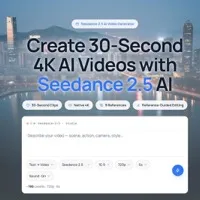
Seedance 2.5 AI
Seedance 2.5 AI is a 4K AI video generator for text-to-video and image-to-video.
Featured Agents
Discover our hand-picked selection of exceptional AI agents

Palabra.ai
Palabra AI
Real-time AI speech translation for live calls, events, and streams in 60+ languages.
(0.0)

Wispr Flow
Wispr
AI-powered voice dictation that turns natural speech into polished writing 4x faster than typing.
(0.0)

KnockoutStocks
KnockoutStocks
Smart stock analysis platform with AI-powered factor scoring for investment decision-making.
(5.0)

Replit
Replit, Inc.
AI-powered platform for building full-stack apps with parallel agents, no coding required.
(4.0)

Unbounce
Unbounce Inc.
AI-powered landing page builder with no-code A/B testing and conversion optimization for marketers.
(0.0)